List each language or country version with its URL. You get checked hreflang markup for the head, an HTTP header or an XML sitemap.
Codes are checked against the full ISO 639-1 language list and ISO 3166-1 alpha 2 region list that Google supports. Nothing you type leaves your browser.
Every version must carry the same full set, including a tag for itself, or Google may ignore the annotations. Rules follow Google Search Central, checked October 2026.
This hreflang tags generator builds checked hreflang markup for anyone running a site in more than one language or country, from a UK shop with a US store to a blog with French and German editions. You list each version once, it validates every code against the rules in Google's localised versions guide and then writes the HTML tags, HTTP header or XML sitemap for you. Rules checked October 2026.
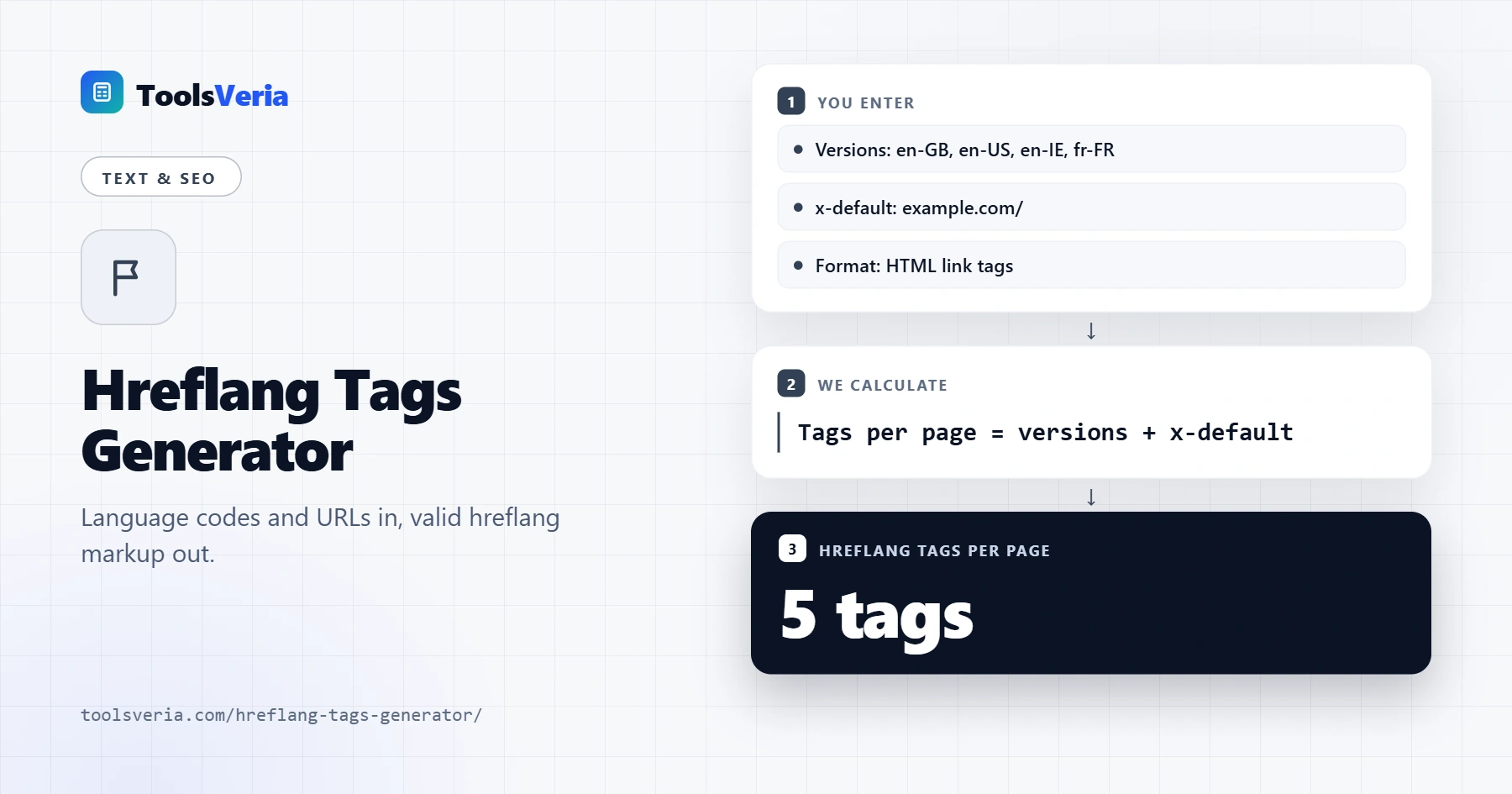
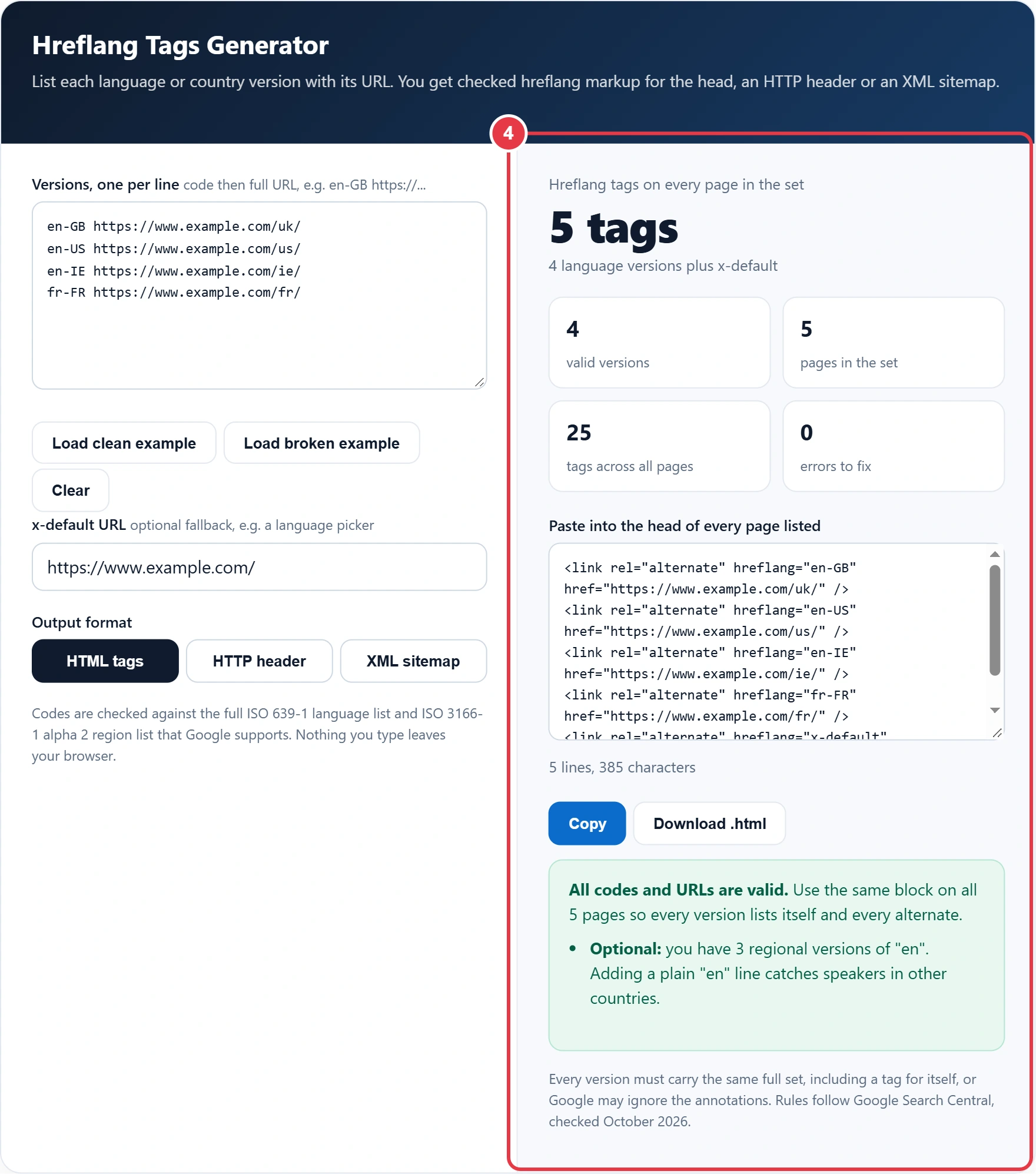
Quick answer: enter one line per version, such as en-GB followed by its full https URL, plus an optional x-default. The hreflang tags generator outputs one link tag per version, and that same block goes in the head of every page in the set, so four versions plus x-default means five tags on each page.
In This Guide
What Is an Hreflang Tag?
An hreflang tag is a link annotation that tells search engines which URL is the right version of a page for a given language, and optionally a given country. It does not translate anything or change rankings by itself; it swaps the most suitable version into the results for each searcher.
The count works like this: tags per page equal the number of versions plus one if you use x-default, and every page carries the identical set, including a tag that points to itself. Total tags across the site are therefore tags per page multiplied by the number of pages in the set. Google also says it does not use hreflang to detect a page's language, so the content itself must genuinely be in the language you declare.
How to Use the Hreflang Tags Generator
Step 1: List Each Version With Its URL
Type one version per line: the code, a space, then the full address. Commas, tabs and pipes also work, so you can paste two columns straight from a spreadsheet. Use the final URL of each page, the one that returns 200 and carries a self referencing canonical, never an address that redirects.
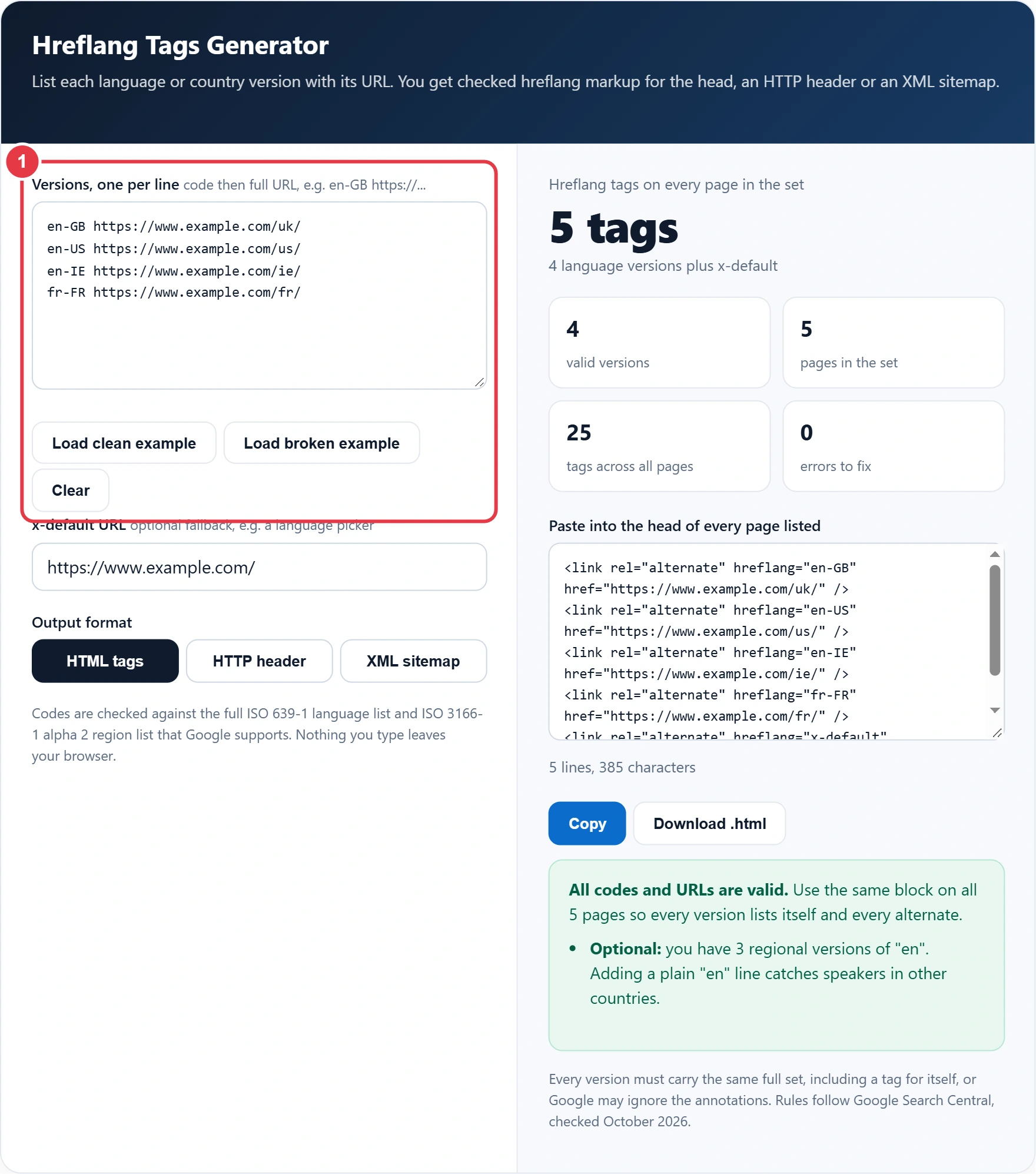
Step 2: Add an x-default URL
The x-default value is the page shown when a searcher's language matches none of your versions. A language picker or your main international page is the usual choice. It is optional, but most multi country sites benefit from it, and the generator reminds you if it is missing.
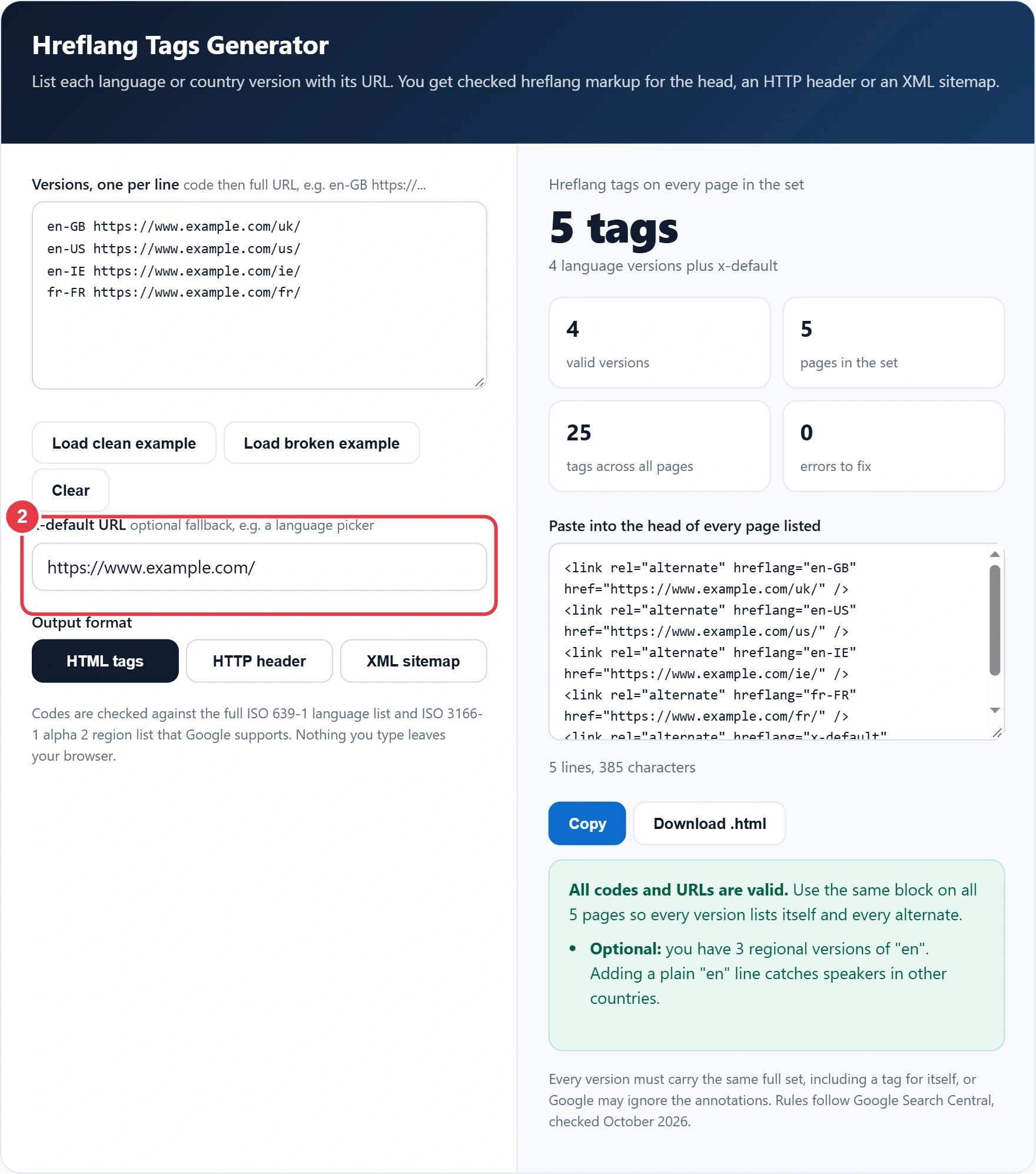
Step 3: Choose the Output Format
Pick HTML tags for normal web pages, an HTTP header for PDFs and other files without a head, or an XML sitemap if you would rather keep annotations out of your templates. While you are editing the head anyway, the meta tag generator covers titles and descriptions for each language version in the same pass.
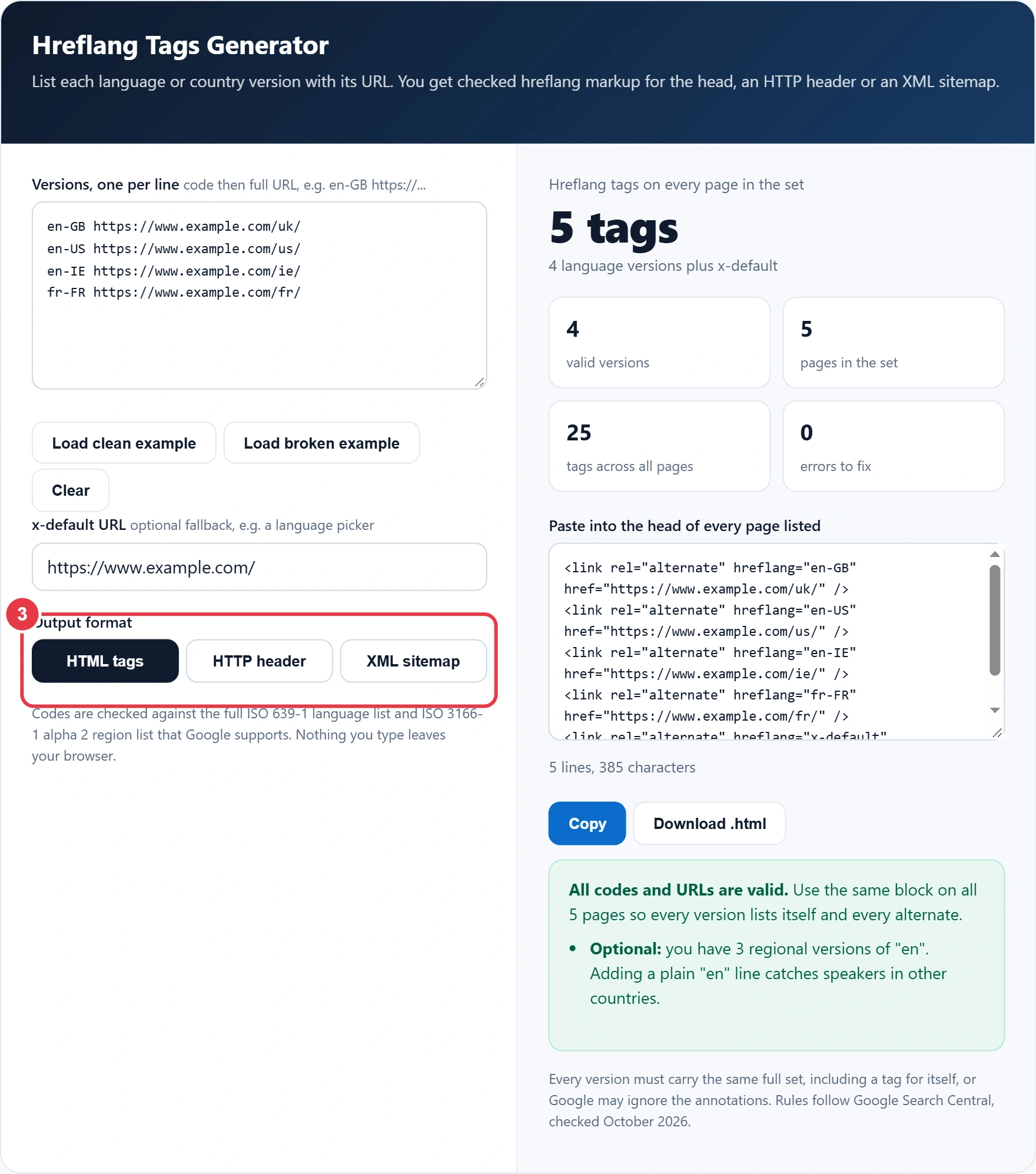
Step 4: Copy the Markup and Fix Any Errors
Errors such as an invalid code, a relative URL or a duplicate line are listed first and left out of the output until fixed. Copy or download the result and preview each localised title with the SERP preview tool before you publish, then add the block to every page in the set. The hreflang tags generator also counts the total tags so you can confirm none went missing.
How Do You Write Hreflang Tags Correctly?
Write one link tag per version in the head of every page, each with rel="alternate", an hreflang code and a full https URL, and repeat the whole set on every version including the page itself. Missing return tags are the most common reason annotations get ignored.
Here is the example loaded in the tool. Priya sells loose leaf tea from a UK site and has added US, Irish and French sections at /uk/, /us/, /ie/ and /fr/, with a country picker at the home page. Her four versions plus x-default produce 5 tags per page. With the home page included there are 5 pages in the set, so 25 tags in total across the site. If the French page forgot to list itself or the UK page, Google could ignore the French annotations, which is why the generator outputs one identical block for all five pages.
Which Hreflang Codes Should You Use?
Use a two letter language code, optionally followed by a two letter country code, such as en-GB or es-MX. The language part comes from the ISO 639-1 list of language codes and the country part from ISO 3166-1 alpha 2, and the tool checks both in full, so typos never reach your templates.
| Audience | Correct code | Common mistake | Why the mistake fails |
|---|---|---|---|
| English speakers in the UK | en-GB | en-UK | UK is not an ISO country code |
| Ukrainian speakers | uk or uk-UA | ua | UA is a country, not a language |
| English speakers in Ireland | en-IE | ie | ie is the code for Interlingue |
| Dutch speakers in Belgium | nl-BE | be | be on its own means Belarusian |
| Spanish speakers in Latin America | es-MX, es-AR and so on | es-419 | Google supports two letter regions only |
| Traditional Chinese in Hong Kong | zh-Hant-HK | zh-HK-Hant | Script must come before the region |
| Any English speaker | en | en-EU | EU is not a country code |
HTML, HTTP Header or Sitemap: Which Hreflang Method Is Best?
All three methods are equally valid for Google, so pick the one your site can maintain without errors. Using more than one adds no benefit and doubles the places where a mistake can creep in. The hreflang tags generator writes all three from the same list, so switching later takes seconds.
| Method | Best for | Main drawback |
|---|---|---|
| HTML link tags in the head | Small and medium sites, CMS templates | Adds weight to every page as versions grow |
| HTTP Link header | PDFs, images and other non HTML files | Needs server or CDN configuration |
| XML sitemap with xhtml:link | Large sites with many versions | Errors are less visible than in page source |
What Are the Most Common Hreflang Mistakes?
The most common mistake is a missing return tag, where page A lists page B but page B does not list page A. Press Load broken example in the hreflang tags generator to see the others it catches in one go.
- Relative or protocol relative URLs such as /us/ or //example.com/us/ instead of full https addresses.
- en-UK instead of en-GB, and uk used for a UK page when it means Ukrainian.
- A country code on its own, such as gb or de, with no language in front.
- Hreflang URLs that redirect, or that carry a canonical pointing somewhere else.
- The same code listed twice with two different URLs.
- Pages blocked from crawling, so Google never sees the return tags. Check your file with the robots.txt generator before launch.
After launch, give Google a few weeks to recrawl every version, then spot check a page in each language. If the wrong country version still shows, the cause is almost always one page in the set with an incomplete or outdated block.
Key Terms for Using the Hreflang Tags Generator
These terms explain the codes and rules the hreflang tags generator checks, so each language or country version is served to the right searchers.
- Hreflang attribute
- An attribute on a link element, HTTP header or sitemap entry that declares the language, and optionally the region, a URL is written for. Search engines use it to swap in the most fitting version rather than to rank pages.
- ISO 639-1 language code
- The two letter code system for languages, such as en for English, fr for French and de for German. It forms the required first part of every hreflang value and must be written in this standard form to be recognised.
- ISO 3166-1 alpha 2 region code
- The two letter country code that can follow the language in an hreflang value, as in en-GB or en-US. A region alone is not valid, and the United Kingdom uses GB rather than UK.
- x-default
- A reserved hreflang value marking the fallback page for searchers whose language or region matches none of the listed versions. A language picker or a general international homepage is the usual target.
- Return tag
- The reciprocal annotation that each page in a set must carry back to every other version, including itself. If one page lists another but is not listed in return, search engines may disregard the pairing.
- Self referencing canonical
- A canonical link on a page that points to its own URL, confirming it as the preferred address. Each URL named in hreflang markup should carry one, so that canonical and language signals do not conflict.
</>Embed this calculator on your website
Add the free Hreflang Tags Generator to your own site or blog. Copy the code below and paste it into an HTML block. It resizes itself and works on phones.
How we checked this tool: the Tools Veria Editorial Team built this tool by hand, checked it against the official rules or published standards where they apply, and tested it against worked examples. Results are estimates for planning, not personal financial or tax advice. Read our editorial policy and disclaimer, or report an error.
Frequently Asked Questions
What does hreflang do for SEO?
Hreflang tells Google which URL to show searchers of a given language or country, for example en-GB visitors seeing the /uk/ page instead of /us/. It does not boost rankings directly, but it stops the wrong regional version appearing and reduces duplicate content confusion.
Is it en-GB or en-UK in hreflang?
Use en-GB. Hreflang regions follow ISO 3166-1 alpha 2, where the United Kingdom is GB, so en-UK is invalid and Google ignores it. The code uk on its own means the Ukrainian language, not the UK.
Does every page need a self referencing hreflang tag?
Yes, each version must list itself as well as every other version. With 3 versions and x-default, every page carries the same 4 tags. Missing self or return tags are the main reason Google ignores an hreflang set.
What is x-default in hreflang?
x-default names the fallback page for searchers whose language or country matches none of your versions, often a language picker or the main international page. It is optional, counts as one extra tag on every page, and must also use a full URL.
Should hreflang go in the sitemap or the HTML?
Either works equally well for Google, and so does the HTTP header. Use HTML tags for most sites, a sitemap when you have many versions and want lighter pages, and the header for PDFs. Using more than one method adds no benefit.
Can hreflang URLs be relative?
No. Google requires fully qualified URLs including https://, so /fr/ or //example.com/fr/ will not work. This generator flags relative addresses as errors and leaves them out of the output until you add the full URL.