Paste the headers from curl -I (or your browser's network panel) to see every hop, its status code and how to cut the chain to one redirect.
A web page cannot request another website's headers because browsers block cross origin reads, so this checker never fetches anything. It reads the text you paste, which keeps staging and private URLs private.
| # | Status | URL and change |
|---|
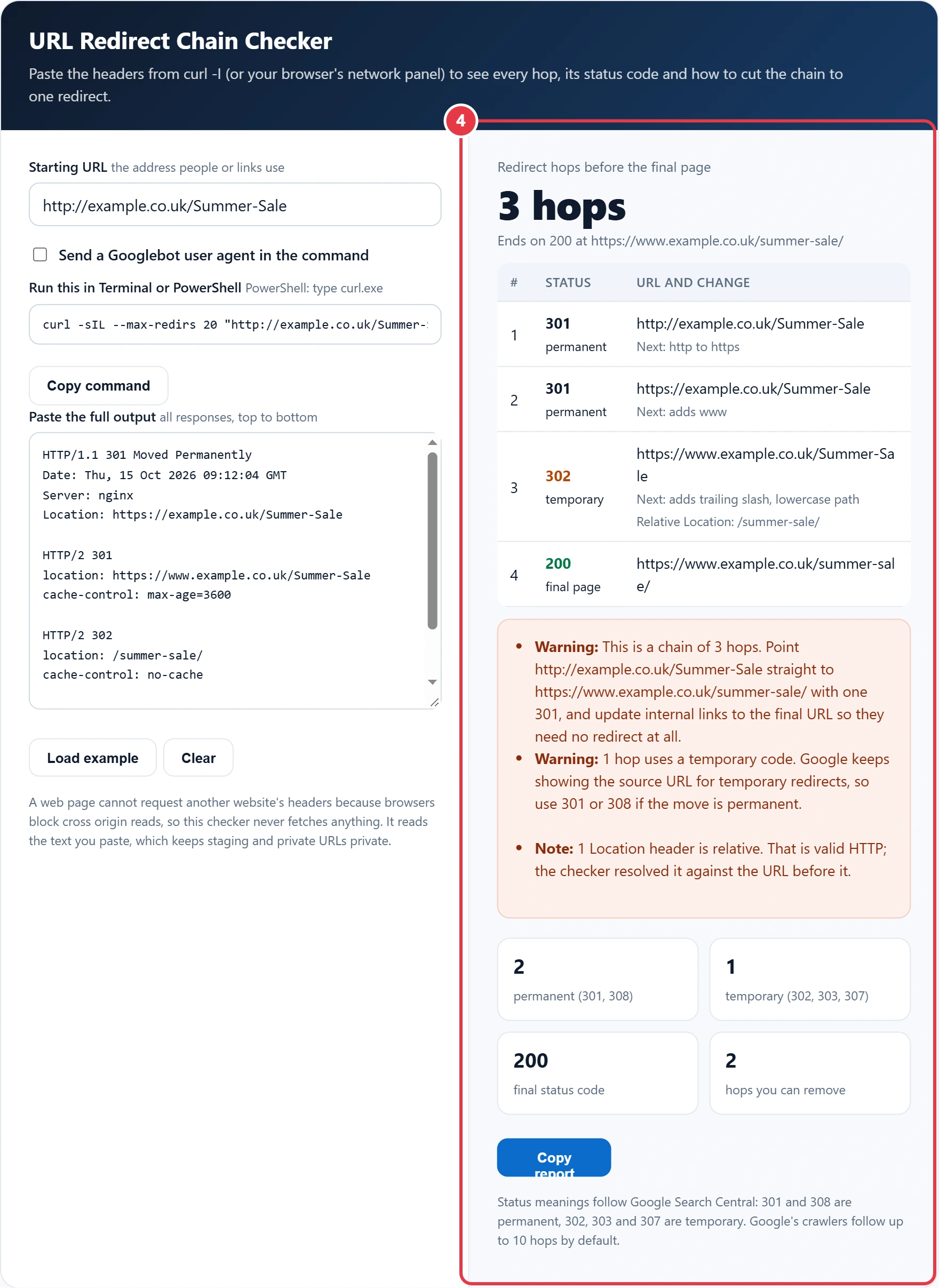
Status meanings follow Google Search Central: 301 and 308 are permanent, 302, 303 and 307 are temporary. Google's crawlers follow up to 10 hops by default.
This URL redirect chain checker shows every hop between the address someone clicks and the page that finally loads, for site owners, SEOs and developers anywhere. It reads the response headers you paste from curl, labels each status code using Google's redirect guidance as the reference, and then tells you exactly which hops to remove. Figures checked October 2026.
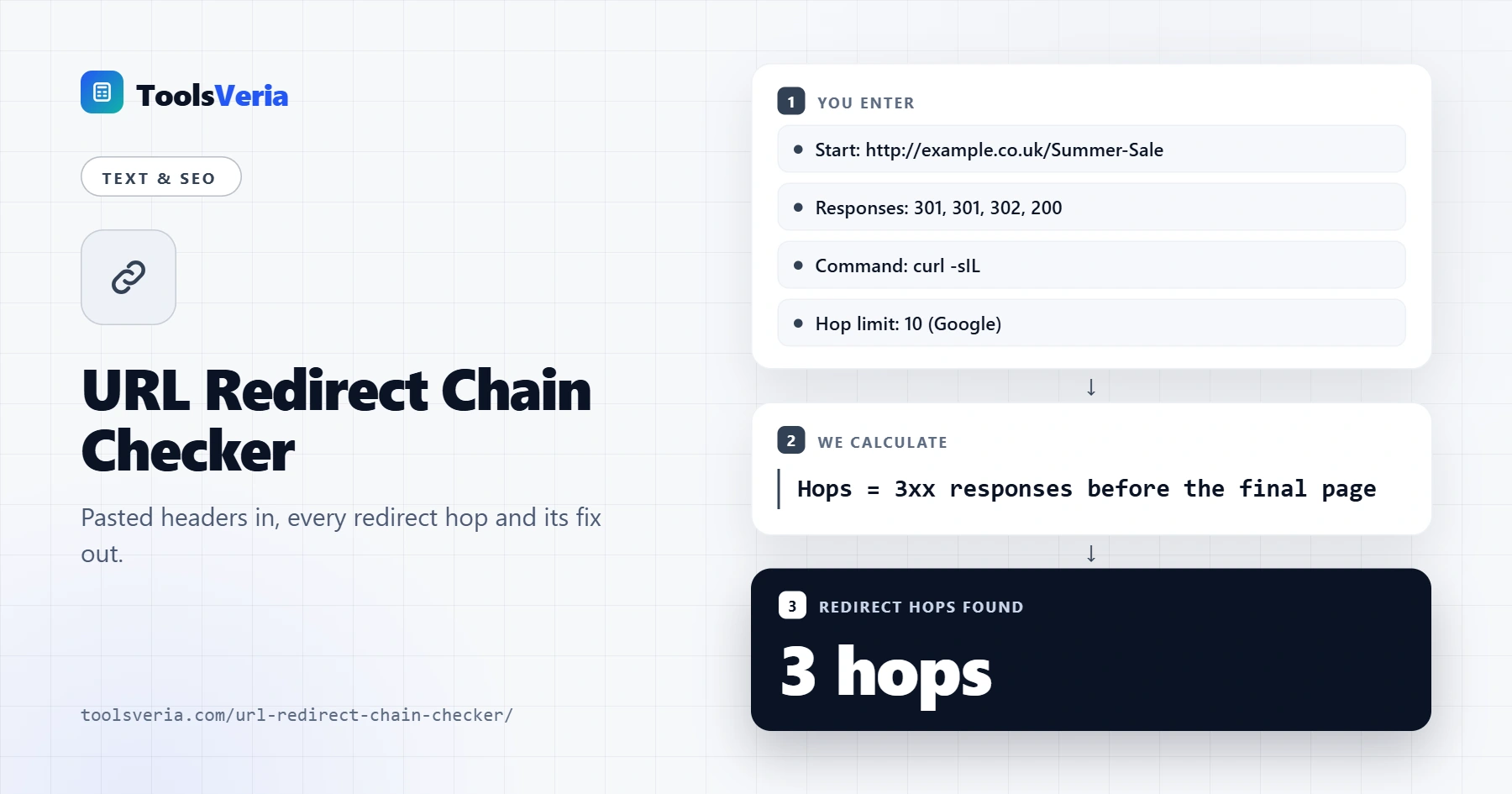
Quick answer: a redirect chain is two or more redirects in a row, such as http to https, then to www, then to a new slug. Paste curl -sIL output into the URL redirect chain checker, count the 3xx responses, and replace the chain with one 301 from the first URL straight to the final 200 page.
In This Guide
What Is a Redirect Chain?
A redirect chain is a sequence of two or more server redirects that a browser or crawler must follow before it reaches a page that returns 200 OK. Each step is called a hop, and every hop costs an extra request.
The count is simple: hops equal the number of 3xx responses before the final response. Chains rarely happen on purpose. They build up as a site moves to HTTPS, switches to www, changes its URL style and migrates platforms, with each rule layered on top of the last. The page still loads, so nobody notices, but every visitor and crawler pays the delay on every visit.
How to Use the URL Redirect Chain Checker
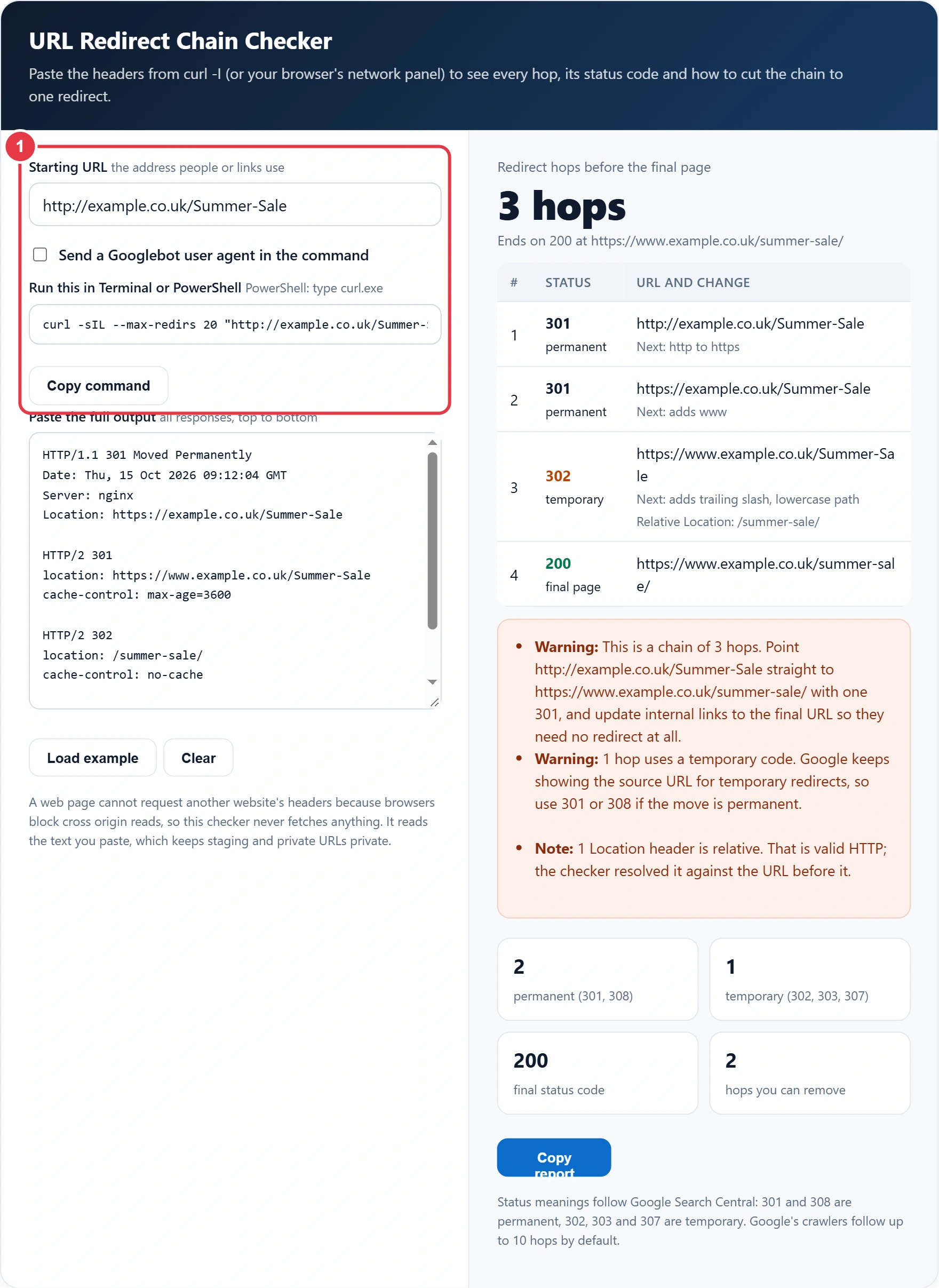
Step 1: Enter the Starting URL and Copy the Command
Type the old or linked address, exactly as people use it, including http or https. The tool builds a curl command for you. On Windows, run it in PowerShell as curl.exe; on Mac and Linux, paste it into Terminal. Tick the Googlebot option to see what Google is served if your server treats crawlers differently.
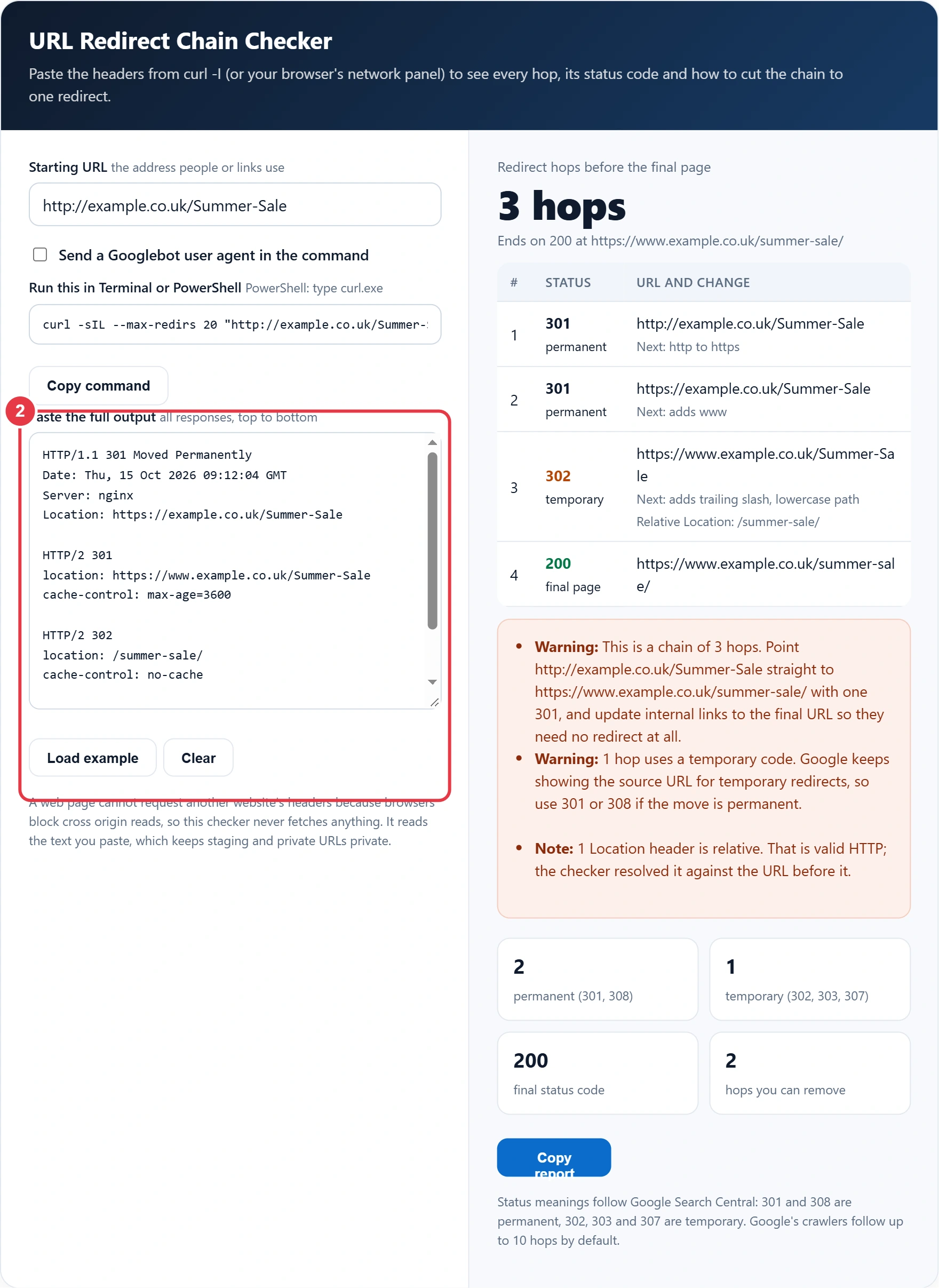
Step 2: Paste the Header Output
Copy everything curl prints and paste it into the box. Each block that begins with HTTP/ is one response. You can also paste headers copied from the Network panel in Chrome or Firefox, as long as each response starts with its status line.
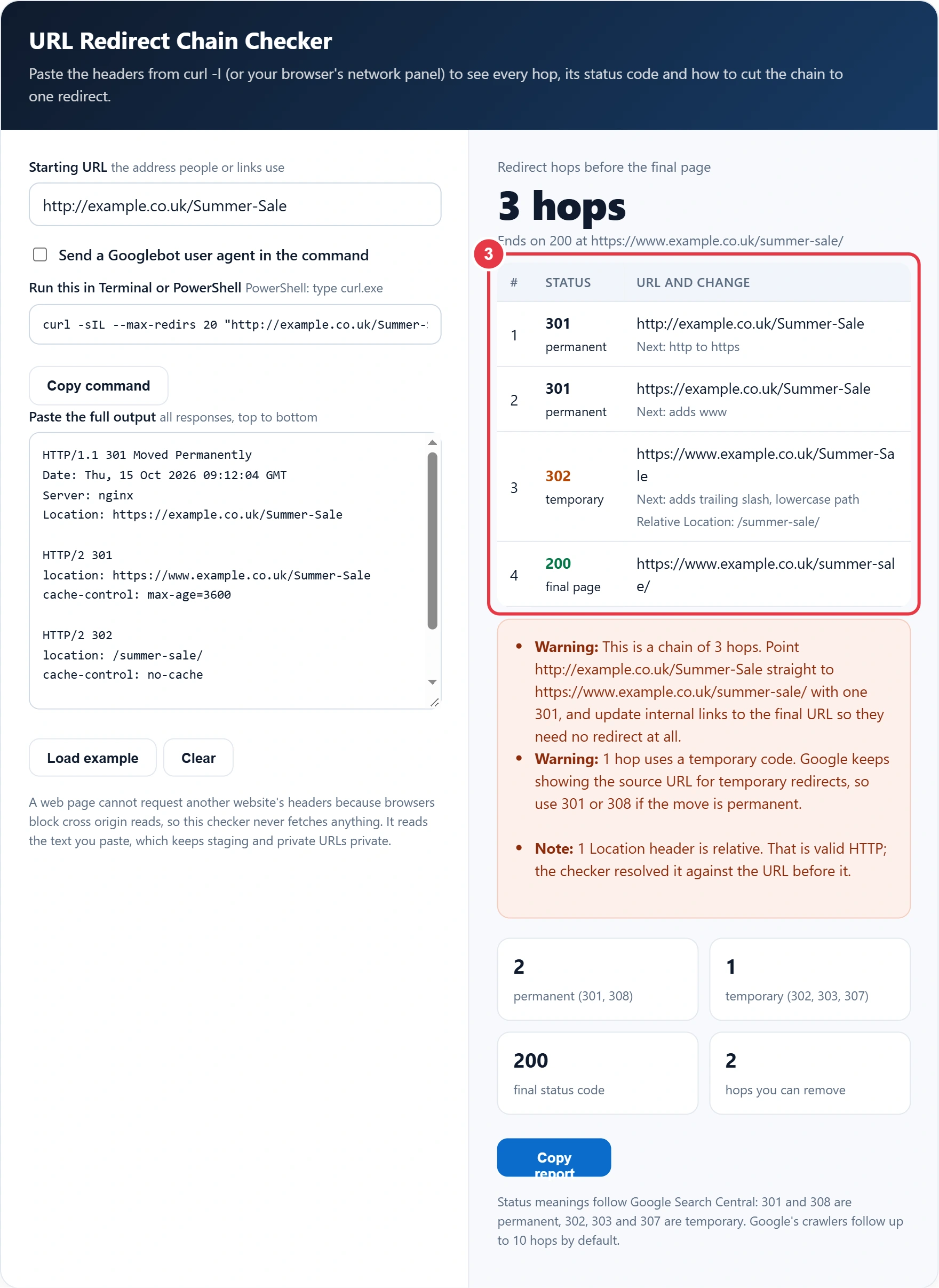
Step 3: Read the Hop Table
Each row shows the status code, whether it is permanent or temporary, the URL at that hop and what the next hop changes: protocol, www, letter case, trailing slash or the path itself. Relative Location headers are resolved for you, so every URL is shown in full.
Step 4: Apply the Fixes
Errors such as loops, missing Location headers and chains that end on a 404 come first. Warnings cover long chains and temporary codes. If the final page is still not being crawled, the robots.txt validator confirms whether a rule is blocking it. Copy the report to share with a developer, then paste fresh output to recheck after the change.
How Many Redirects Is Too Many?
One redirect is the target, and anything above three is worth fixing this week. Google states that its crawlers follow up to 10 redirect hops by default, so a chain longer than that can stop Google ever reaching the content, while every hop below the limit still adds a round trip for visitors.
Here is the worked example loaded in the tool. Hannah runs a UK garden shop and an old newsletter links to http://example.co.uk/Summer-Sale. The first response is a 301 to https, the second is a 301 that adds www, the third is a 302 to /summer-sale/ in lower case with a trailing slash, and the fourth is a 200. That is 3 hops, 2 of which can go. The fix is one 301 from the original address straight to https://www.example.co.uk/summer-sale/, with the 302 replaced because the move is permanent.
Which Redirect Status Code Should You Use?
Use 301 or 308 for a permanent move and 302 or 307 only when the original URL will come back. The difference matters because Google shows the new URL in results for permanent redirects and keeps the old one for temporary redirects.
| Code or method | Type | Keeps request method | Use it for |
|---|---|---|---|
| 301 Moved Permanently | Permanent | Not guaranteed | Moved pages, HTTPS and www changes |
| 308 Permanent Redirect | Permanent | Yes | Permanent moves for forms and APIs |
| 302 Found | Temporary | Not guaranteed | Short promotions, A/B tests |
| 303 See Other | Temporary | Changes to GET | After a form is submitted |
| 307 Temporary Redirect | Temporary | Yes | Maintenance on a POST endpoint |
| Instant meta refresh | Treated as permanent | Not applicable | Only when server rules are impossible |
| Delayed meta refresh | Treated as temporary | Not applicable | Avoid where you can |
The meta refresh rows reflect how Google interprets them. JavaScript redirects are the last resort, since Google may fail to render them. Curl only shows server redirects, so open the final page in a browser as well if you suspect a meta refresh or script is involved.
Do Redirect Chains Hurt SEO?
Yes, mildly at three hops and seriously past ten. Short chains still pass signals, yet every hop slows the first page load, uses crawl budget on large sites and adds another place for a rule to break during the next migration.
The bigger risks are the ones this checker flags as errors. A loop sends crawlers round in circles, a chain that ends on a 404 wastes every link pointing at it, and a hop from https back to http fails security checks. According to Google's HTTP status code documentation, content on a redirecting URL is ignored and only the final target is processed, so the final hop must be the page you want indexed.
What Causes Most Redirect Chains?
Most chains come from separate rules that each made sense on their own day. The patterns below are the most common, and the Next column in the checker names which one you are looking at.
| Pattern in the hop table | Usual cause | Single rule fix |
|---|---|---|
| http to https, then adds www | HTTPS rule and www rule written separately | One rule sending every variant to https://www. |
| Adds trailing slash after a 301 | CMS adds the slash after the server rule runs | Make the server rule target the slashed URL |
| Lowercase path as its own hop | Old links used capital letters | Redirect the old mixed case URL to the final lower case one |
| New domain, then new path | Domain move layered on an older slug change | Map each old URL straight to its final address |
| Tracking link, then page | Email or ad platform redirect | Usually fine; shorten the rest of the chain |
Platform migrations are the worst offenders. A shop that moved from one ecommerce system to another in 2021 and again in 2025 can easily have product links that pass through four or five hops. Before your next migration, export the old redirect list and update every target so nothing points at a URL that itself redirects.
How to Fix a Redirect Chain
- Write down the first URL and the final 200 URL from the checker.
- Change the oldest rule so it points directly at the final URL with a 301.
- Combine HTTPS and www rules into a single rule rather than two in a row.
- Update internal links, canonical tags and your XML sitemap to the final URL so they need no redirect.
- Keep permanent redirects in place for at least a year, longer for pages with strong backlinks.
- Paste fresh curl output to confirm the result is now 1 hop.
If you are also tidying URL formats, build the new addresses first with the slug generator so they are lower case with hyphens, then map each old address to its new one before any redirect goes live.
Key URL Redirect Chain Checker Terms Explained
These definitions explain the status codes and headers the URL redirect chain checker reads, helping you shorten chains and send links straight to the final page.
- Redirect hop
- A single step in which a server answers a request with a redirect status and points to another address. Every extra hop adds a round trip before content loads and gives crawlers one more step to follow.
- 301 Moved Permanently
- An HTTP status code saying that a resource has moved for good to the address in the Location header. Search engines treat it as a strong signal to index the new URL and transfer signals from the old one.
- 308 Permanent Redirect
- A permanent redirect status similar to 301, except that the client must repeat the original request method and body at the new address. It suits form submissions and APIs where a POST must not change to GET.
- Temporary redirect
- A redirect returned with status 302, 303 or 307, signalling that the original URL should be kept because the move may be reversed. Using one for a permanent move can leave search engines indexing the old address.
- Location header
- The HTTP response header that carries the destination address of a redirect. It may be absolute or relative, so a relative value must be resolved against the current URL to know where the next hop goes.
- curl
- A command line program for making network requests and showing the raw responses. With options that request headers only and follow redirects, it prints each status line in order, which reveals every hop in a chain.
</>Embed this calculator on your website
Add the free URL Redirect Chain Checker to your own site or blog. Copy the code below and paste it into an HTML block. It resizes itself and works on phones.
How we checked this tool: the Tools Veria Editorial Team built this tool by hand, checked it against the official rules or published standards where they apply, and tested it against worked examples. Results are estimates for planning, not personal financial or tax advice. Read our editorial policy and disclaimer, or report an error.
Frequently Asked Questions
What is a redirect chain in SEO?
A redirect chain is two or more redirects in a row before a page returns 200 OK, for example http to https, then to www, then to a new slug. Each step is a hop, and the fix is one 301 from the first URL to the final page.
How many redirects does Googlebot follow?
Google says its crawlers follow up to 10 redirect hops by default, although some Google products may use different limits. Aim for 1 hop on every important URL so you stay well inside that limit.
Why can this checker not fetch my URL directly?
Browsers block a web page from reading another site's response headers, a security rule called the same origin policy. Run the curl command shown in the tool and paste the output, which works for live, staging and password protected sites.
Is a 302 redirect bad for SEO?
A 302 is not bad when the move is genuinely temporary, such as a 2 week promotion. For permanent moves use 301 or 308, because Google keeps showing the old URL in results while a temporary redirect is in place.
What does a redirect loop look like in curl?
The same URL appears more than once in the chain, often flipping between www and non www, or adding and removing a trailing slash. Curl stops after its limit, 20 in the command here, and the checker flags the repeated URL as an error.
How long should I keep a 301 redirect?
Keep permanent redirects for at least 12 months, and indefinitely for URLs with backlinks or printed in old marketing. Removing them early turns every old link into a 404 and loses the value those links pass.