Paste the anchors from any backlink export, add your brand and keywords, and see how your anchor mix compares with a natural profile.
Nothing is uploaded or looked up. Anchors that contain a brand name count as branded, and URL shaped anchors count as naked URLs.
| Anchor type | Links | Share | Typical | Status |
|---|
| Top anchors | Links | Type |
|---|
Typical ranges are common industry rules of thumb for a natural profile. Google publishes no ideal ratio; it judges whether links were built to manipulate rankings.
This anchor text ratio calculator sorts the backlink anchors of any page into branded, naked URL, exact match, partial match, generic and other types, for site owners, link builders and SEO agencies checking whether a profile looks natural. It uses your own brand and keywords rather than guessing, and its advice follows Google's spam policies on link schemes instead of folklore about penalty thresholds. Ranges checked October 2026.
Quick answer: divide the links using each anchor type by your total links and multiply by 100. In the anchor text ratio calculator, a natural profile is usually led by branded and naked URL anchors, often 50% or more combined, with exact match keywords under about 5% for a home page and 10% for an inner page.

In This Guide
What Is Anchor Text Ratio?
Anchor text ratio is the share of a page's backlinks that use each type of clickable text, such as your brand name, a bare URL or your exact target keyword. It is also called anchor text distribution, and it is one of the quickest ways to see whether links were earned or built.
The formula is: share = links using that anchor type ÷ all links to the page × 100. Count links, not unique anchors, because 30 links all saying "soy wax candles" carry far more weight than one. People who link naturally mostly use your name, your address or a description in their own words, which is why a profile full of one commercial phrase stands out.
How to Use the Anchor Text Ratio Calculator
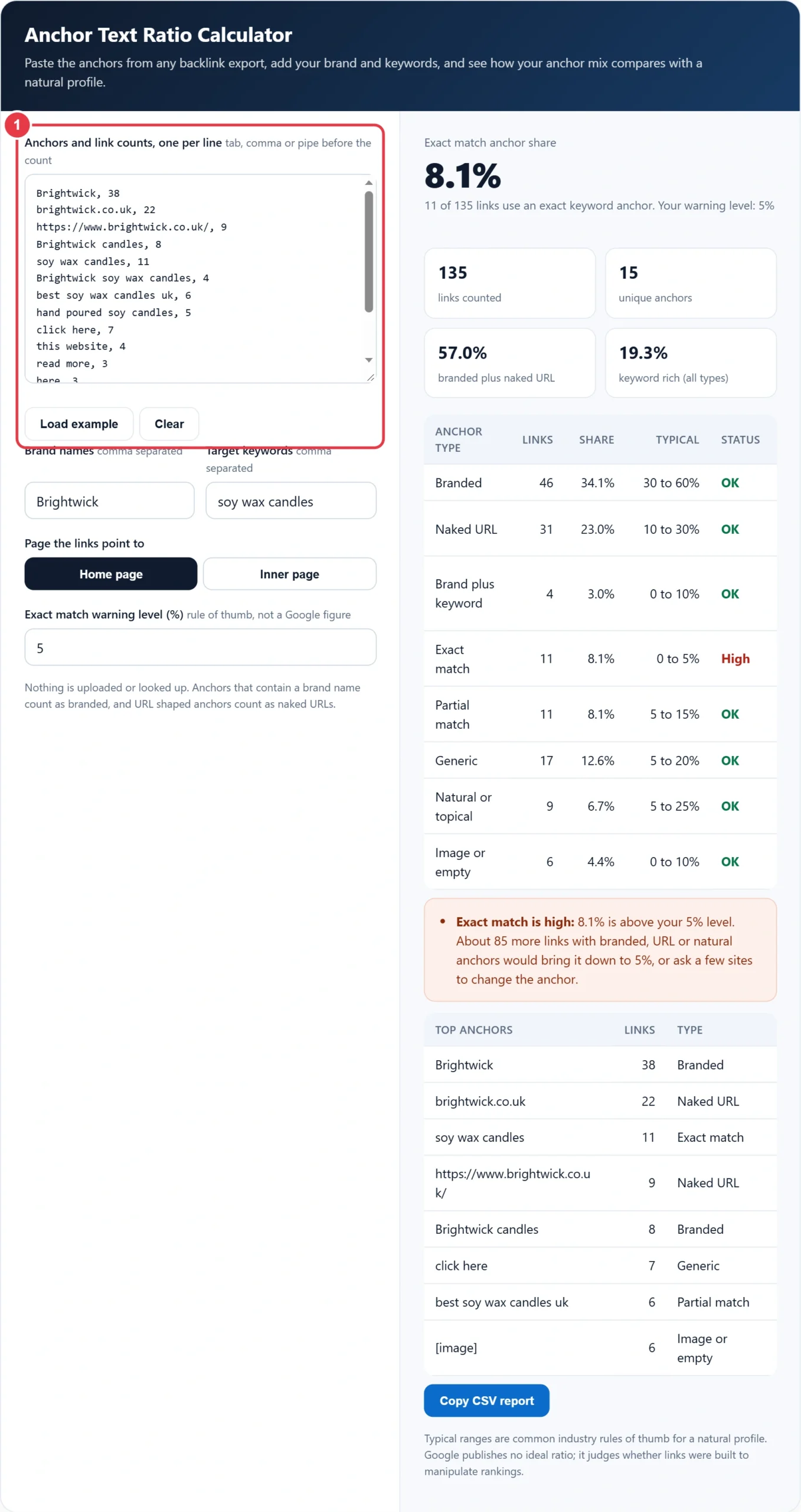
Step 1: Paste Your Anchors and Counts
Export the anchors report from your backlink tool, or the top linking text report in Google Search Console, and paste two columns: the anchor and its number of links. Tabs, commas and pipes all work, identical anchors are merged, and an anchor without a count is treated as one link.
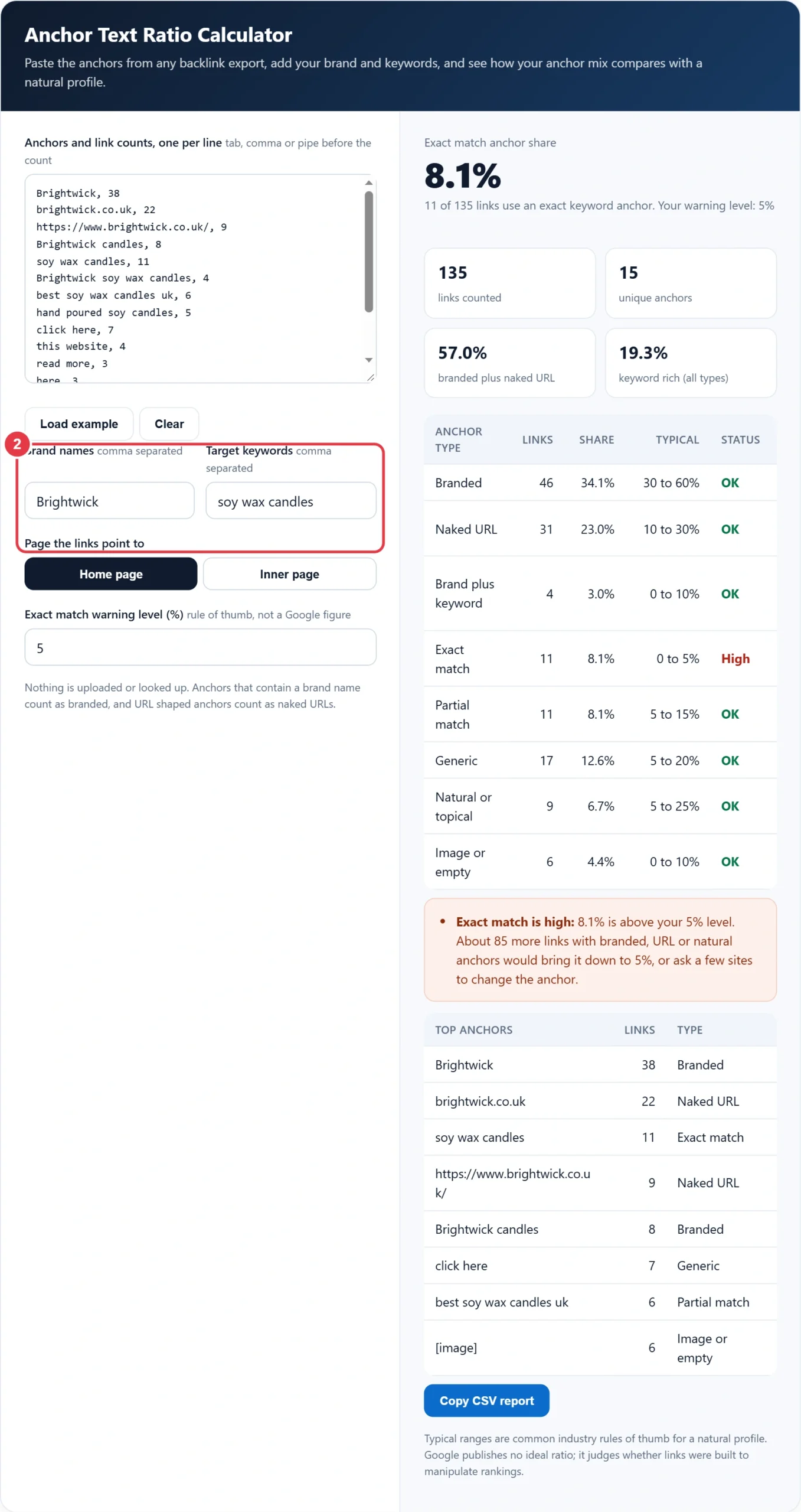
Step 2: Enter Your Brand and Target Keywords
Add every version of your brand people actually use, separated by commas, then the keywords you want the page to rank for. Plurals are matched loosely, so "candle" and "candles" count as the same word, and small words such as "for" and "the" are ignored when deciding partial matches.
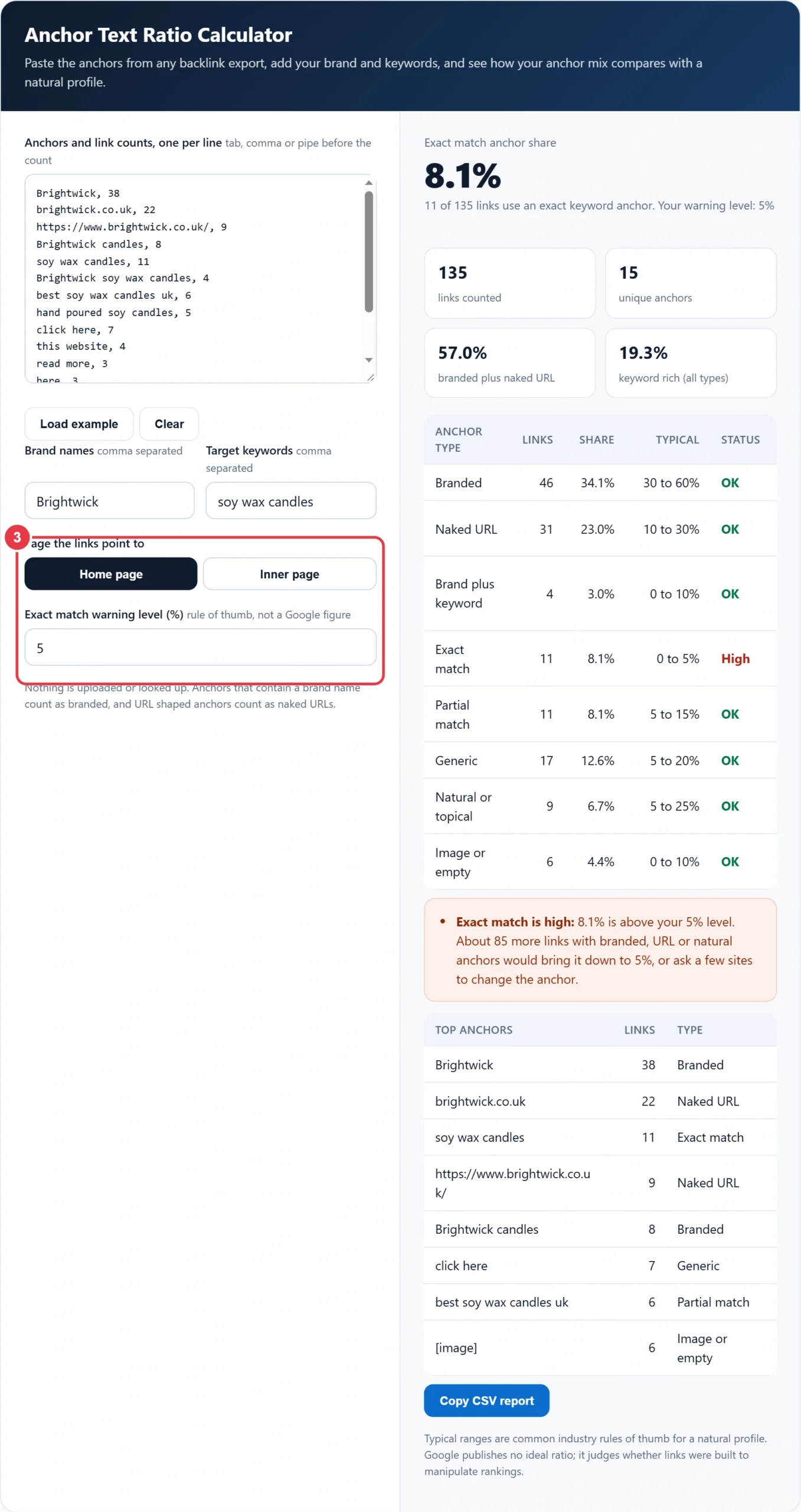
Step 3: Choose the Page Type
Home pages attract mostly brand links, so the warning level for exact match starts at 5%. Inner pages such as product or guide pages naturally earn more descriptive anchors, so the level moves to 10%. You can change the number to match your niche, and the canonical tag checker is worth running first so the links you count all point at the canonical URL.
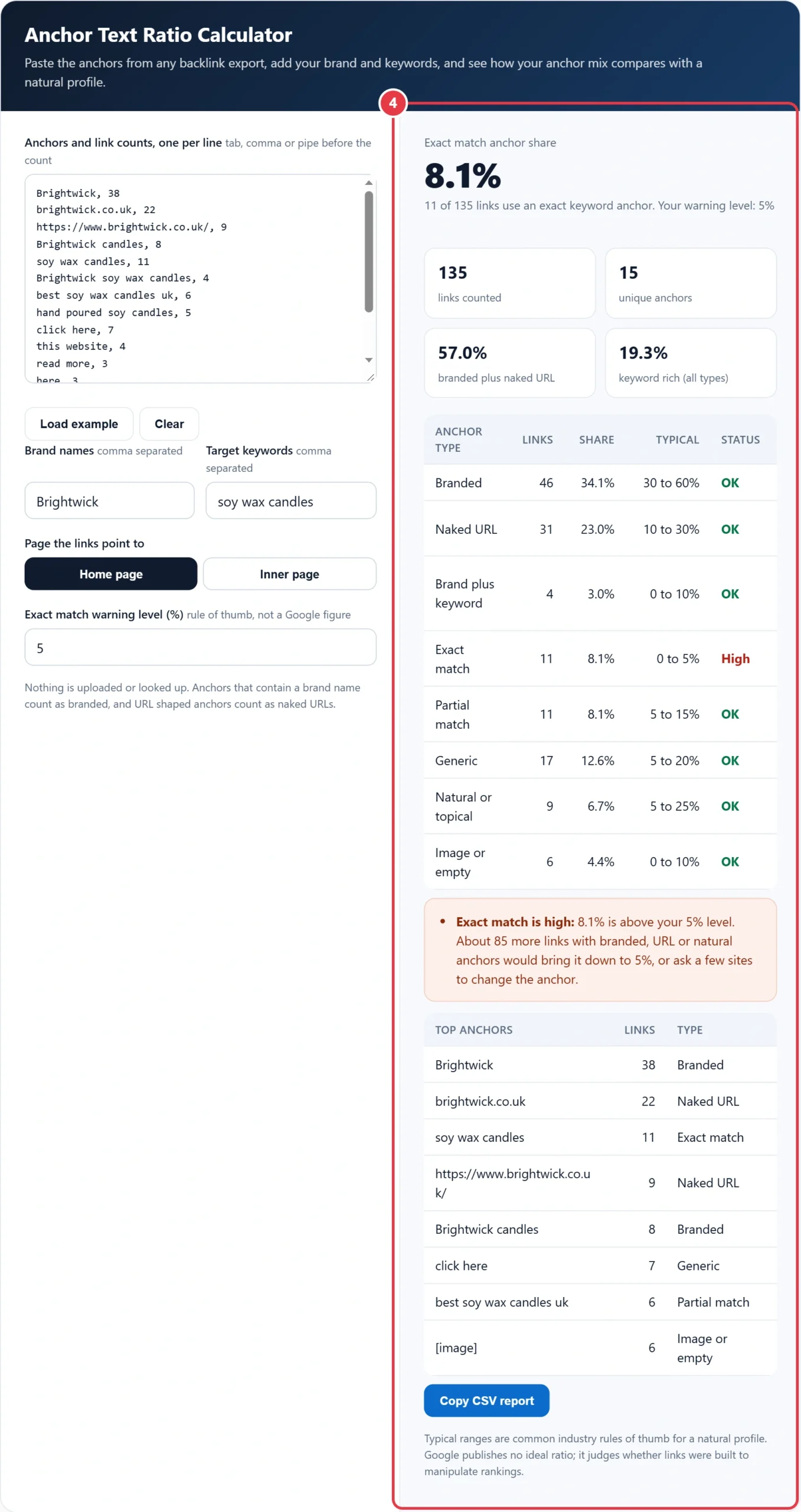
Step 4: Read the Shares and Advice
The table shows each anchor type with its links, share, typical range and a status of OK, Low or High. Below it you get plain advice, including how many more non keyword links would bring exact match back under your level, plus your top eight anchors. Copy the CSV report to share it with a client or your team.
What Is a Good Anchor Text Ratio?
A good anchor text ratio is led by branded and naked URL anchors, with exact match keywords kept to a small minority, typically under 5% for a home page and 10% for an inner page. Google publishes no target figures, so treat the ranges below as industry rules of thumb, and compare against pages that rank in your own niche.
| Anchor type | Example for Brightwick | Home page | Inner page |
|---|---|---|---|
| Branded | Brightwick | 30 to 60% | 20 to 50% |
| Naked URL | brightwick.co.uk | 10 to 30% | 5 to 20% |
| Brand plus keyword | Brightwick soy wax candles | 0 to 10% | 0 to 10% |
| Exact match | soy wax candles | 0 to 5% | 0 to 10% |
| Partial match | hand poured soy candles | 5 to 15% | 10 to 25% |
| Generic | click here | 5 to 20% | 5 to 20% |
| Natural or topical | eco friendly home fragrance | 5 to 25% | 10 to 30% |
| Image or empty | [image] | 0 to 10% | 0 to 10% |
How Do You Calculate Anchor Text Ratio?
Add up the links in each anchor type and divide by the total number of links, then multiply by 100. The worked example below is the one loaded in the tool.
Brightwick is a small UK candle maker with 135 backlinks to its home page from 15 different anchors. Branded anchors account for 46 links (34.1%), naked URLs for 31 (23.0%), exact match "soy wax candles" for 11 (8.1%), partial match for 11 (8.1%), generic phrases such as "click here" for 17 (12.6%), natural descriptions for 9 (6.7%), brand plus keyword for 4 (3.0%) and image links for 6 (4.4%). Exact match sits above the 5% home page level because a guest post campaign used the keyword as anchor. To get back to 5%, the 11 exact links would need a total of 220 links, so Brightwick needs about 85 more links with other anchors, or can ask a handful of the guest post hosts to switch the anchor to the brand name.
How Does the Anchor Text Ratio Calculator Classify Anchors?
The anchor text ratio calculator checks each anchor in a fixed order, so every link lands in exactly one type. Empty anchors and placeholders such as [image] come first, then anything shaped like a web address, with or without https and www, counts as a naked URL.
- Brand: the anchor contains one of your brand names. If it also holds at least half the words of a target keyword, it becomes brand plus keyword.
- Exact match: after removing punctuation, small words and plural endings, the anchor is the keyword and nothing else.
- Partial match: the anchor contains the keyword inside a longer phrase, or at least half of its words.
- Generic: a stock phrase such as click here, read more, this website or source.
- Natural or topical: everything else, usually a description written by the linking site.
Because the anchor text ratio calculator relies on your own brand and keyword lists, results are only as good as those lists. Add nicknames, old brand names and the main keyword variants you target, and the shares become far more reliable than tools that guess the brand from a domain name.
Can Too Much Exact Match Anchor Text Hurt Rankings?
Yes, a profile heavy in keyword anchors can be treated as link spam. Google's spam policies name links with optimised anchor text in articles, guest posts or press releases, keyword rich links in widgets and forum signatures, and links in footers spread across many sites as link schemes.
None of this means anchor text is unimportant. Descriptive anchors help readers and search engines, and Google's guidance on writing link text asks for anchors that are descriptive and reasonably concise, without cramming keywords in. The safest approach is to let linking sites choose their own words and to mark paid or sponsored links with rel="sponsored" or rel="nofollow".
- Stop requesting a fixed keyword anchor in guest posts and outreach.
- Ask sites that used exact match to switch to your brand or page title.
- Build brand mentions through PR, directories and partners, which earn branded and URL anchors.
- Mark any paid placements as sponsored rather than hiding them.
- Re-run the anchor text ratio calculator every quarter with a fresh export.
Do not confuse this with anchor text to content ratio, which measures how much of a page's own text is linked. That is an on page measure, closer to what the keyword density checker reports for a single page, and it has no bearing on how your backlinks are spread.
Anchor Text Ratio Terms You Should Know
These definitions explain the categories the anchor text ratio calculator uses, helping you judge whether a backlink profile looks earned or engineered.
- Anchor text
- The visible, clickable words of a hyperlink. Search engines read it as a description of the target page, which is why heavily repeated commercial phrases can suggest links were placed deliberately rather than given naturally.
- Exact match anchor
- A link whose text matches the target keyword word for word. A small share is normal, but when it dominates a profile it is a common footprint of paid or exchanged links, especially on a home page.
- Branded anchor
- Link text that uses the site or company name, in any of the forms people actually type. It is usually the largest group in an earned profile, because most people link to a business by naming it.
- Naked URL anchor
- A link where the address itself is the clickable text, such as a domain or full page URL. Along with branded anchors it signals natural citation, and the calculator counts the two together when assessing balance.
- Link scheme
- Google's term for links intended to manipulate rankings, such as paid links passing value, excessive exchanges or automated link building. Its spam policies judge intent rather than any fixed anchor percentage, so ratios are a warning sign, not a rule.
- Canonical URL
- The preferred version of a page when several addresses show the same content, declared with a canonical link element. Checking it first ensures every counted link points at the version that actually collects ranking signals.
</>Embed this calculator on your website
Add the free Anchor Text Ratio Calculator to your own site or blog. Copy the code below and paste it into an HTML block. It resizes itself and works on phones.
How we checked this tool: the Tools Veria Editorial Team built this tool by hand, checked it against the official rules or published standards where they apply, and tested it against worked examples. Results are estimates for planning, not personal financial or tax advice. Read our editorial policy and disclaimer, or report an error.
Frequently Asked Questions
What percentage of anchor text should be exact match?
Most SEOs keep exact match anchors under about 5% of links to a home page and under about 10% for an inner page. Google publishes no official figure, so treat these as rules of thumb and compare with pages ranking in your niche.
What counts as a branded anchor?
A branded anchor contains your business or site name, such as Brightwick or Brightwick candles. If it also contains most of your target keyword, such as Brightwick soy wax candles, this calculator classes it as brand plus keyword instead.
Where can I get my anchor text data for free?
Google Search Console shows top linking text under Links, which you can export and paste here. Paid backlink tools give fuller anchor reports with link counts, and any export with the anchor and a number of links works.
Do generic anchors like click here hurt SEO?
No. Generic anchors such as click here or read more are a normal part of a natural profile, typically 5% to 20% of links. They pass little topical context, but they never look manipulative.
Should I count links or referring domains?
Count links for anchor ratio, because every link carries its anchor. If one site links 200 times from a footer, also check by referring domain, since a single sitewide link can distort the shares heavily.
How do I fix an over optimised anchor profile?
Stop building keyword anchors, ask sites that used exact match to change it to your brand or URL, and earn new branded links through PR and partnerships. Avoid mass disavowing unless you have a manual action for unnatural links.