
Grace used the same password, her dog’s name followed by her birth year and an exclamation mark, on her email, her bank and a dozen shopping sites. When one of those shops was breached, the attackers tried that exact password everywhere else within hours. Learning how to create a strong password is less about clever symbols and more about two plain ideas: make each password long and random, and never use it twice.
This guide is for anyone who looks after their own accounts, at home or at work. It explains what makes a password hard to crack, puts real numbers on how long common patterns survive, compares random characters with random word passphrases, and sets out the habits that protect you even when a website you trust gets hacked.
Quick answer: A strong password is long, random and unique to one account. Use at least 16 random characters, or 5 to 6 randomly chosen words, from a generator rather than your own head. Store every password in a password manager, turn on two step verification, and change a password only when there is a sign it has leaked.
In This Guide
What makes a password strong?
A password is strong when an attacker would need an impractically large number of guesses to find it, and that number depends almost entirely on length and genuine randomness. Security people measure it in bits of entropy: each extra bit doubles the guesses needed. The idea is set out clearly in the Wikipedia article on password strength.
The arithmetic is simple. A character chosen at random from the 94 printable keyboard symbols adds about 6.55 bits, while a random lowercase letter adds about 4.7. A word chosen at random from a list of 7,776 words adds about 12.9 bits. Multiply the bits per item by the number of items and you have the strength.
The catch is the word “random”. Grace’s dog name plus birth year looks like 13 characters, but attackers do not guess character by character. Their cracking software starts with leaked password lists, dictionaries, names, dates and the usual tricks such as swapping “a” for “@” or adding “!” at the end. A human pattern loses most of its theoretical strength the moment it follows a habit that millions of others share.

How long would it take to crack your password?
A truly random password of 12 or more full keyboard characters would take tens of thousands of years to crack on average, while 8 lowercase letters would fall in about a second. The table assumes the worst realistic case: a site’s password database has leaked and an attacker with dedicated hardware makes 100 billion guesses per second against a fast hash.
| Password type (all randomly generated) | Entropy | Average time at 100 billion guesses per second |
|---|---|---|
| 8 lowercase letters | 37.6 bits | About 1 second |
| 3 random words | 38.8 bits | About 2 seconds |
| 4 random words | 51.7 bits | About 5 hours |
| 8 full keyboard characters | 52.4 bits | About 8.5 hours |
| 5 random words | 64.6 bits | About 4.5 years |
| 6 random words | 77.5 bits | About 35,000 years |
| 12 full keyboard characters | 78.7 bits | About 75,000 years |
| 16 full keyboard characters | 104.9 bits | About 5.9 trillion years |
Two cautions apply. First, many services store passwords with slow hashing and lock accounts after a few wrong tries, so real attacks are often far slower than this. Second, the figures only hold for passwords that a machine picked at random. Grace’s dog name and birth year would be found almost instantly, whatever its length, because it sits in the first guesses any cracking tool makes.
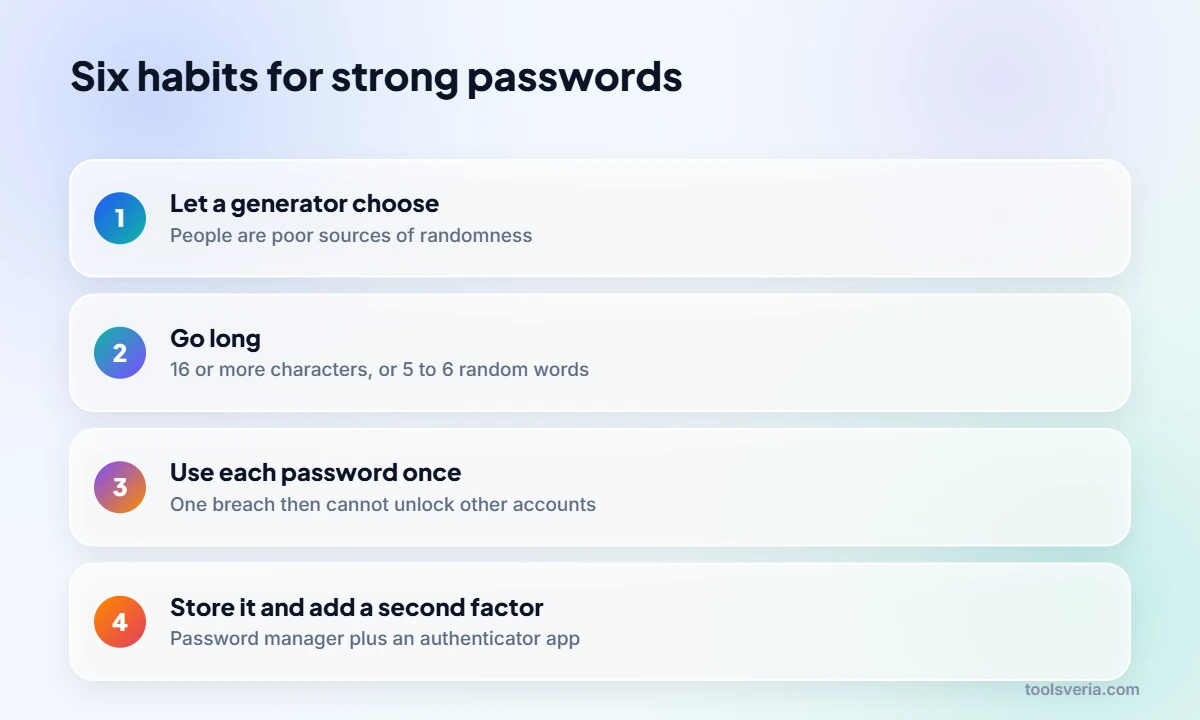
How to create a strong password in six steps
Creating a strong password comes down to six habits, and the first two do most of the work.
- Let a generator choose. Use a password manager or our strong password generator instead of inventing one; people are poor sources of randomness.
- Go long. Aim for 16 or more random characters, or 5 to 6 random words for anything you must type by hand.
- Use it once. A unique password for every account stops one breach turning into ten.
- Store it in a password manager, protected by one long passphrase that you memorise.
- Turn on two step verification, preferably with an authenticator app or security key rather than text messages.
- Change a password only when you have a reason, such as a breach notice or a suspicious login alert.
Step six surprises people who remember workplace rules forcing a new password every 90 days. Current guidance has moved away from that. The US standards body NIST, in its digital identity guidelines revised in 2025, tells services not to demand routine changes or mixtures of character types, and instead to allow long passwords and block ones already found in breach lists. Forced changes tended to produce “Summer2025!” followed by “Autumn2025!”.

Are passphrases better than random characters?
Passphrases made of randomly chosen words are as strong as random characters when they have similar entropy, and they are much easier to type and remember. Six random words carry about 77.5 bits, almost exactly the same as 12 random keyboard characters at 78.7 bits.
The words must be picked by dice or software, not by you. “correct horse battery staple” style phrases work because each word is drawn blindly from a long list. A phrase you choose yourself, such as a song lyric or a favourite quote, is likely to appear in an attacker’s phrase dictionary.
The UK National Cyber Security Centre popularised “three random words” because it is easy to remember and far better than a pet’s name. Treat it as a minimum for everyday logins that lock after failed attempts. For the master password of a password manager or your main email account, use five or six words, since those protect everything else.
Which password habits put you most at risk?
Reusing a password across sites is the single riskiest habit, because one breach hands attackers working logins elsewhere through automated “credential stuffing”. After that come predictable patterns: names, dates, keyboard runs such as “qwerty123”, and common substitutions like “P@ssw0rd” that cracking tools try early.
Phishing is the other big threat, and no password survives being typed into a fake login page. This is where multi factor authentication earns its place: a stolen password alone is no longer enough. Security keys and passkeys go further, because they will not respond to a look alike website at all.
To check whether an existing password has already leaked, many password managers compare your saved passwords against breach databases such as Have I Been Pwned. Those checks send only a short fragment of a cryptographic hash, never the password itself; our SHA 256 hash generator shows how a hash turns any text into a fixed length fingerprint that cannot be reversed.
Where do passkeys fit in?
Passkeys replace a password with a cryptographic key pair stored on your phone, computer or password manager, and you unlock them with your fingerprint, face or device PIN. Google, Apple and Microsoft all support them, as do a growing number of banks and shops. Where a site offers a passkey, it is usually the safer choice, because there is no secret to reuse, guess or type into a phishing page.
Passwords are not disappearing yet, though. Most people will still need a handful they can type, including the one that unlocks the password manager. For a fresh account username that does not reveal your real name, the username generator pairs well with a generated password.
Key points
- Length and randomness decide strength; 16 random characters carry about 105 bits.
- Six random words give about 77.5 bits, similar to 12 random keyboard characters.
- Every account needs its own password, so one breach cannot unlock the rest.
- Two step verification with an app or security key blocks most stolen password attacks.
- NIST guidance revised in 2025 discourages forced routine changes and character mix rules.
Key Strong Password Terms Explained
These security terms explain the numbers and advice you meet when learning how to create a strong password that resists cracking and reuse attacks.
- Entropy
- A measure of unpredictability in bits, where each extra bit doubles the guesses needed. A random keyboard character adds about 6.55 bits, so 16 random characters reach roughly 105 bits.
- Passphrase
- A password made of several words chosen at random from a long list. Each word from a 7,776 word list adds about 12.9 bits, so six words give around 77.5 bits.
- Credential stuffing
- An automated attack that takes usernames and passwords leaked from one website and tries them on many others. It only works when people reuse the same password across several accounts.
- Two step verification
- A login that needs a second proof besides the password, such as a code from an authenticator app or a security key, so a stolen password alone cannot open the account.
- Passkey
- A sign in method based on a cryptographic key pair stored on your device and unlocked with a fingerprint, face or PIN. Supported by Google, Apple and Microsoft, it resists phishing.
Frequently Asked Questions
Is an 8 character password ever enough now?
Only as a bare minimum on accounts that also use two step verification. Even a random 8 character password from the full keyboard carries about 52 bits, which a fast offline attack can exhaust in hours. Sixteen random characters is a far safer default.
Does swapping letters for symbols, like P@ssw0rd, help?
Very little. Cracking tools apply common swaps such as @ for a and 0 for o automatically, so P@ssw0rd is guessed almost as fast as password. Adding genuinely random characters or extra random words does far more.
Is it safe to keep all my passwords in one password manager?
For most people, yes, provided the manager is protected by a long unique passphrase and two step verification. Reputable managers encrypt your vault before syncing it, and the alternative, reusing a few memorable passwords, is far riskier.
My company still forces a change every 90 days. Is that wrong?
It is out of step with current NIST guidance, which advises changes only after evidence of compromise. Follow your employer’s policy, but avoid predictable patterns such as adding a number; generate a completely new password each time instead.
Are text message codes good enough for two step verification?
They are much better than nothing, but authenticator apps and security keys are stronger. Text codes can be intercepted through SIM swap fraud or typed into phishing pages, while security keys and passkeys refuse to work on fake sites.
How many random words should my master password have?
Use at least five, and six if you can manage it. Five random words from a 7,776 word list give about 64.6 bits and six give about 77.5 bits, enough to protect a vault that guards every other account.
Grace now has a six word passphrase on her password manager, a different generated password for every shop, and an authenticator app on her email and bank. That is how to create a strong password setup that survives the next breach: random, long, unique and backed by a second factor. Figures checked October 2026.