Paste one title per line, optionally followed by | and the old URL, to get unique slugs, full URLs and a ready 301 map.
0 characters, 0 words, 0 lines
| # | Slug | Notes |
|---|
Everything runs in your browser and nothing is uploaded. Slugs contain only a to z, 0 to 9 and your separator. Test redirect rules on a staging site before going live.
This bulk URL slug generator converts a whole list of titles into clean, unique URL slugs in one go, for bloggers, shop owners and SEOs planning content or migrating a site anywhere. It follows the readable URL advice in Google's URL structure guide, checks every slug against your live URLs, and exports CSV, full URLs or a ready 301 redirect map. Figures checked October 2026.
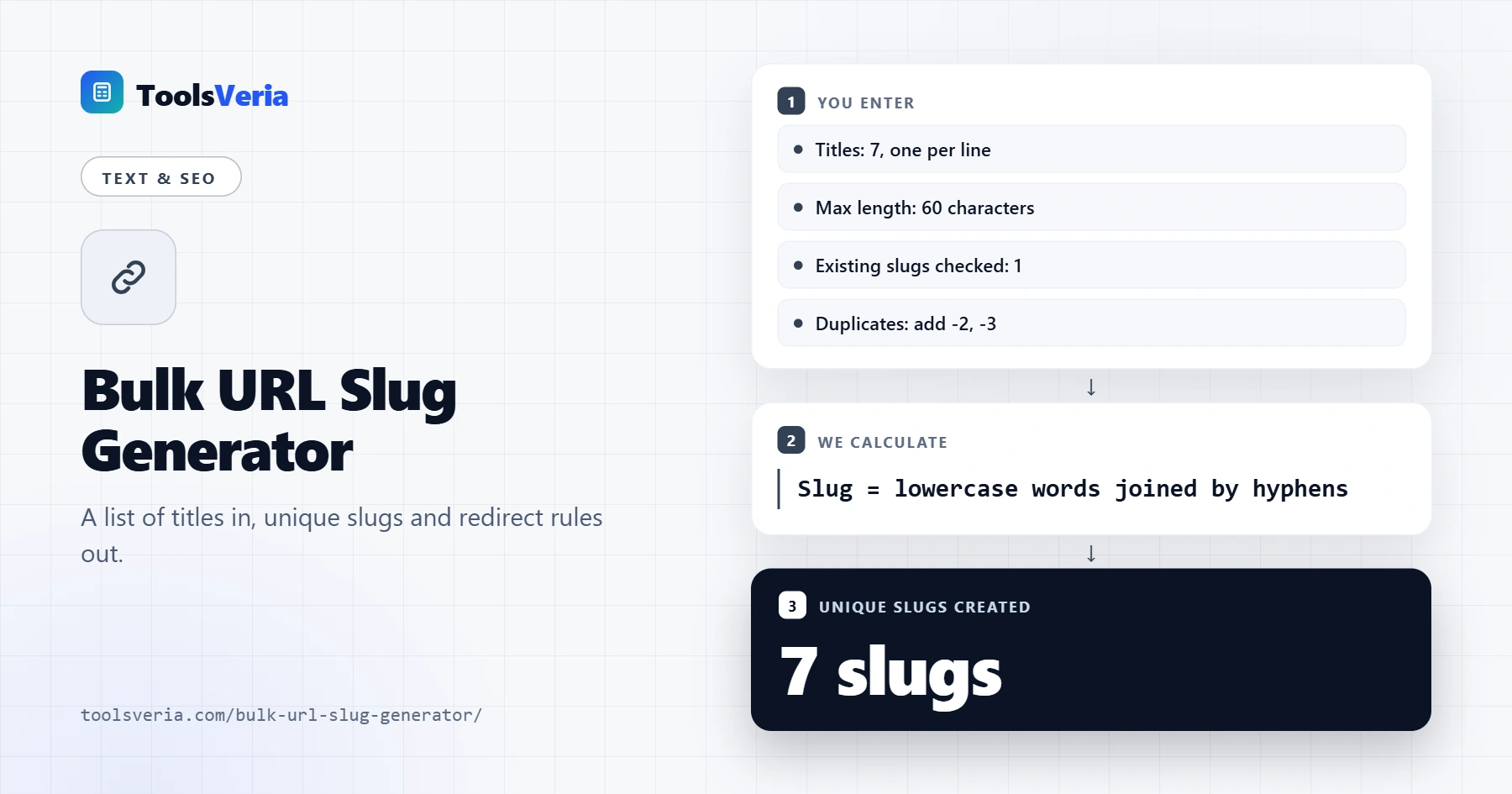
Quick answer: paste one title per line into the bulk URL slug generator. Each becomes lower case words joined by hyphens, with accents converted, symbols and stop words removed, and long slugs cut at a word boundary. Duplicates get -2, -3 so every URL stays unique.
In This Guide
What Is a Bulk URL Slug Generator?
A bulk URL slug generator is a tool that turns many page titles into the short, readable last part of their URLs at once, applying the same rules to every line so a site's addresses stay consistent.
The rule in plain words: convert to lower case, swap accented letters for plain ones, replace every run of other characters with one hyphen, drop small filler words, then trim to the length limit without cutting a word in half. Doing this one title at a time is slow and inconsistent. A content plan of 40 posts or a migration of 400 products needs every slug built the same way and checked against what is already live, which is where most clashes happen.
How to Use the Bulk URL Slug Generator
Step 1: Paste Your Titles
Put one title per line, straight from a spreadsheet column if you like. During a migration, add a space, a pipe and the old URL after each title, such as "Sourdough Starter Guide | /recipes/Sourdough_Starter.html", and the tool builds the redirects too.

Step 2: Set the Rules
Hyphens are the default because Google recommends them over underscores. Set a maximum length, 60 here, and list the slugs already live on your site so new ones never overwrite them. Your site address and path prefix are used for full URLs and redirect targets.

Step 3: Review Each Slug
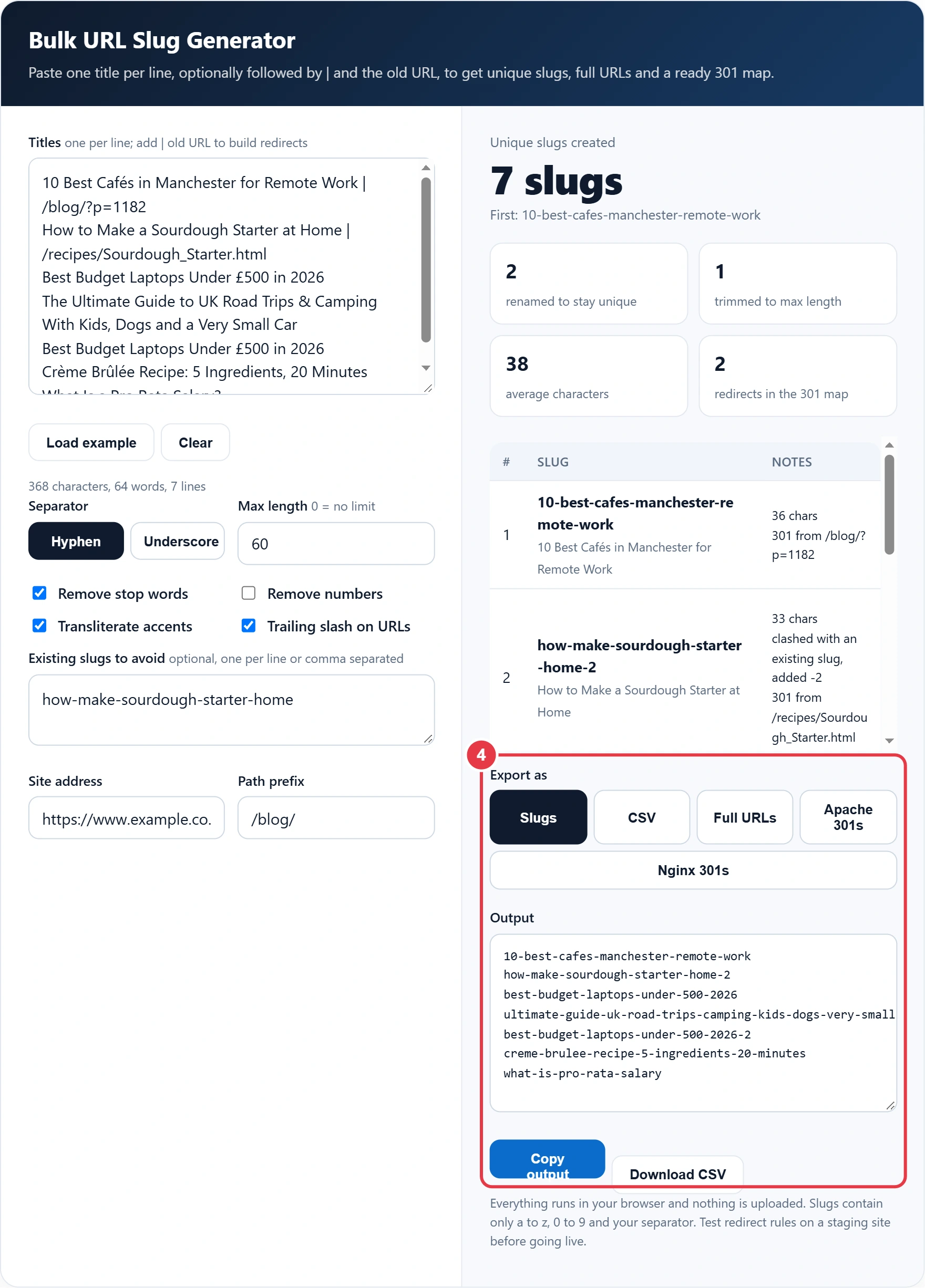
The table shows each slug with its title, character count and notes, such as trimmed, duplicate or clashed with a live slug. Edit a title and the slug updates as you type, so you can shorten awkward ones by hand.

Step 4: Export
Choose plain slugs, CSV for a CMS import, full URLs for a sitemap check, or 301 rules for Apache or Nginx. Once the redirects are live, run a few old addresses through the URL redirect chain checker to confirm each one lands in a single hop.
How Long Should a URL Slug Be?
Keep slugs to about 3 to 6 words, usually under 60 characters. Google sets no limit, but short slugs are easier to read, share and remember, and 60 is a practical cap that still fits a clear phrase.
Here is the worked example loaded in the tool. Sam is moving a food and lifestyle blog and pastes 7 titles. "The Ultimate Guide to UK Road Trips & Camping With Kids, Dogs and a Very Small Car" would be 61 characters, so the tool trims it to "ultimate-guide-uk-road-trips-camping-kids-dogs-very-small" at 57. The laptop title appears twice, so the second becomes "best-budget-laptops-under-500-2026-2". The sourdough slug already exists on the site, so the new one gets -2 as well. The result is 7 unique slugs with an average length of 38 characters, plus 2 redirects for the posts that had old URLs.
What Makes a Good URL Slug?
A good slug uses the page's main words in lower case, joined by hyphens, with nothing that will date it or break it. The table shows what the generator changes and why.
| Title text | Slug | Rule applied |
|---|---|---|
| Crème Brûlée Recipe: 5 Ingredients | creme-brulee-recipe-5-ingredients | Accents converted, colon removed |
| Best Budget Laptops Under £500 | best-budget-laptops-under-500 | Currency symbol dropped |
| How to Make a Sourdough Starter | how-make-sourdough-starter | Stop words to and a removed |
| Road Trips & Camping | road-trips-camping | & becomes and, then removed |
| What Is a Pro Rata Salary? | what-is-pro-rata-salary | Question mark removed, "what is" kept |
| Sourdough_Starter.html | sourdough-starter | Underscore and file extension gone |
Leave the year out of evergreen slugs, even if the title has one. A post at /best-laptops-2026/ looks stale in 2027 and needs a redirect when you update it, while /best-budget-laptops/ can be refreshed for years. Untick Remove numbers to keep figures that matter, such as 10 or 500.
Should You Change Existing Slugs?
Only when the gain is clear, such as during a migration or when a slug is a database ID, and always with a 301 redirect from the old URL. Changing a ranking page's slug for a small tidy up risks a temporary dip in traffic for little benefit.
When you do change slugs in bulk, keep the redirect map in version control and update internal links rather than relying on redirects forever. Letter case matters too: the URI standard RFC 3986 treats paths as case sensitive, so /Sourdough/ and /sourdough/ can be two different pages, which is why every slug here is lower case.
Not every job needs a list. For a single new post, the slug generator gives a quick one at a time version with a live URL preview, using the same rules as this page.
Key Terms for Using the Bulk URL Slug Generator
These terms explain the URL and redirect concepts behind the bulk URL slug generator, helping you plan clean addresses and safe site migrations.
- URL slug
- The final readable segment of a web address that identifies a specific page, such as the words after the last forward slash. A good slug describes the content in a few lowercase words and stays fixed once the page is published.
- Stop words
- Very common short words, such as a, the, of and with, that add little meaning to a phrase. Removing them from slugs shortens addresses while keeping the descriptive keywords that tell readers and search engines what the page covers.
- Transliteration
- Converting characters from one writing system or accented form into plain equivalents, for example turning an accented e into a plain e. In slugs it avoids percent-encoded characters that make links long and hard to read.
- 301 redirect
- An HTTP status code telling browsers and search engines that a page has moved permanently to a new address. It passes visitors and most ranking signals to the new URL, which makes it the standard choice during site migrations.
- Redirect map
- A two column list pairing every old URL with its new destination, prepared before a migration. Servers such as Apache and Nginx turn each pair into a rule, so no old link breaks when the new structure goes live.
- Word boundary trimming
- Shortening a slug only at the point between two complete words rather than mid-word. It keeps the address readable when a long title must be cut to fit a maximum character count set for the site.
</>Embed this calculator on your website
Add the free Bulk URL Slug Generator to your own site or blog. Copy the code below and paste it into an HTML block. It resizes itself and works on phones.
How we checked this tool: the Tools Veria Editorial Team built this tool by hand, checked it against the official rules or published standards where they apply, and tested it against worked examples. Results are estimates for planning, not personal financial or tax advice. Read our editorial policy and disclaimer, or report an error.
Frequently Asked Questions
How do I create URL slugs in bulk?
Paste your titles into a bulk URL slug generator, one per line. Each is converted to lower case words joined by hyphens, duplicates are numbered -2, -3, and you can copy the list or download it as CSV for your CMS.
Should I use hyphens or underscores in URLs?
Use hyphens. Google recommends hyphens over underscores because they help users and search engines identify separate words in the URL, so best-budget-laptops is clearer than best_budget_laptops.
Should I remove stop words from slugs?
Usually yes for words like a, the, and, of and to, which add length without meaning. Keep them when the phrase needs them, such as what-is-pro-rata-salary, and the tool keeps the original words if removing them would leave nothing.
How do I stop new slugs clashing with existing pages?
Paste your live slugs into the Existing slugs box. Any new slug that matches one gets -2, -3 and so on, so a bulk import never overwrites or competes with a page that is already published.
Can the tool create 301 redirects for old URLs?
Yes. Add a pipe and the old URL after each title, then choose Apache 301s or Nginx 301s. Old URLs with query strings, such as /blog/?p=1182, get a matching query rule rather than a simple path rule.
Do non English characters work in slugs?
Accented Latin letters are converted, so crème becomes creme and brûlée becomes brulee. Scripts such as Arabic or Chinese cannot be transliterated here, so write those slugs by hand or use percent encoded URLs, which Google supports.