Type a word, pick a preset, intensity, direction and how many letters to glitch, then copy Zalgo text or any of 14 gallery styles. Paste glitch text into the cleaner to get plain letters back.
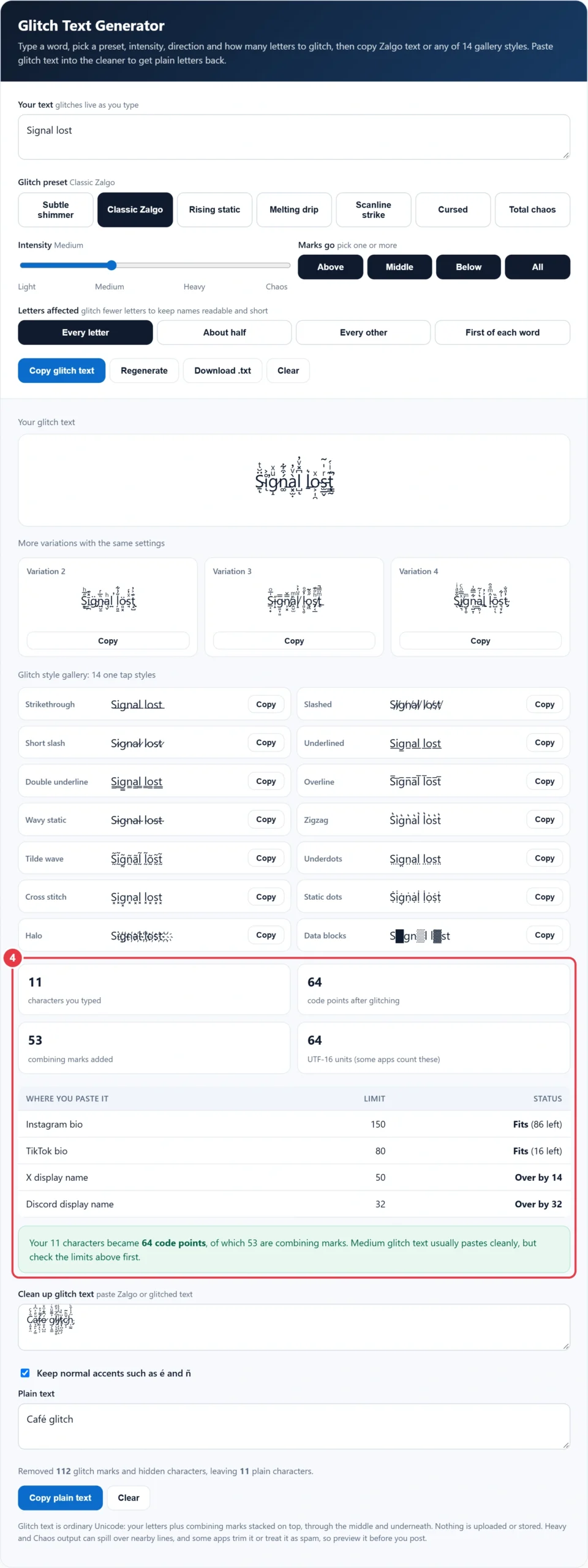
| Where you paste it | Limit | Status |
|---|---|---|
| Instagram bio | 150 | |
| TikTok bio | 80 | |
| X display name | 50 | |
| Discord display name | 32 |
Glitch text is ordinary Unicode: your letters plus combining marks stacked on top, through the middle and underneath. Nothing is uploaded or stored. Heavy and Chaos output can spill over nearby lines, and some apps trim it or treat it as spam, so preview it before you post.
This free glitch text generator turns any word or phrase into corrupted, creepy looking Zalgo text that you can paste into Instagram, TikTok, Discord, X, games and messages. It stacks real Unicode combining characters on each letter, with four intensity levels, seven presets, direction and letter controls, and a gallery of 14 one tap styles. A live counter shows the true length, and a cleaner turns glitch text back into plain letters.
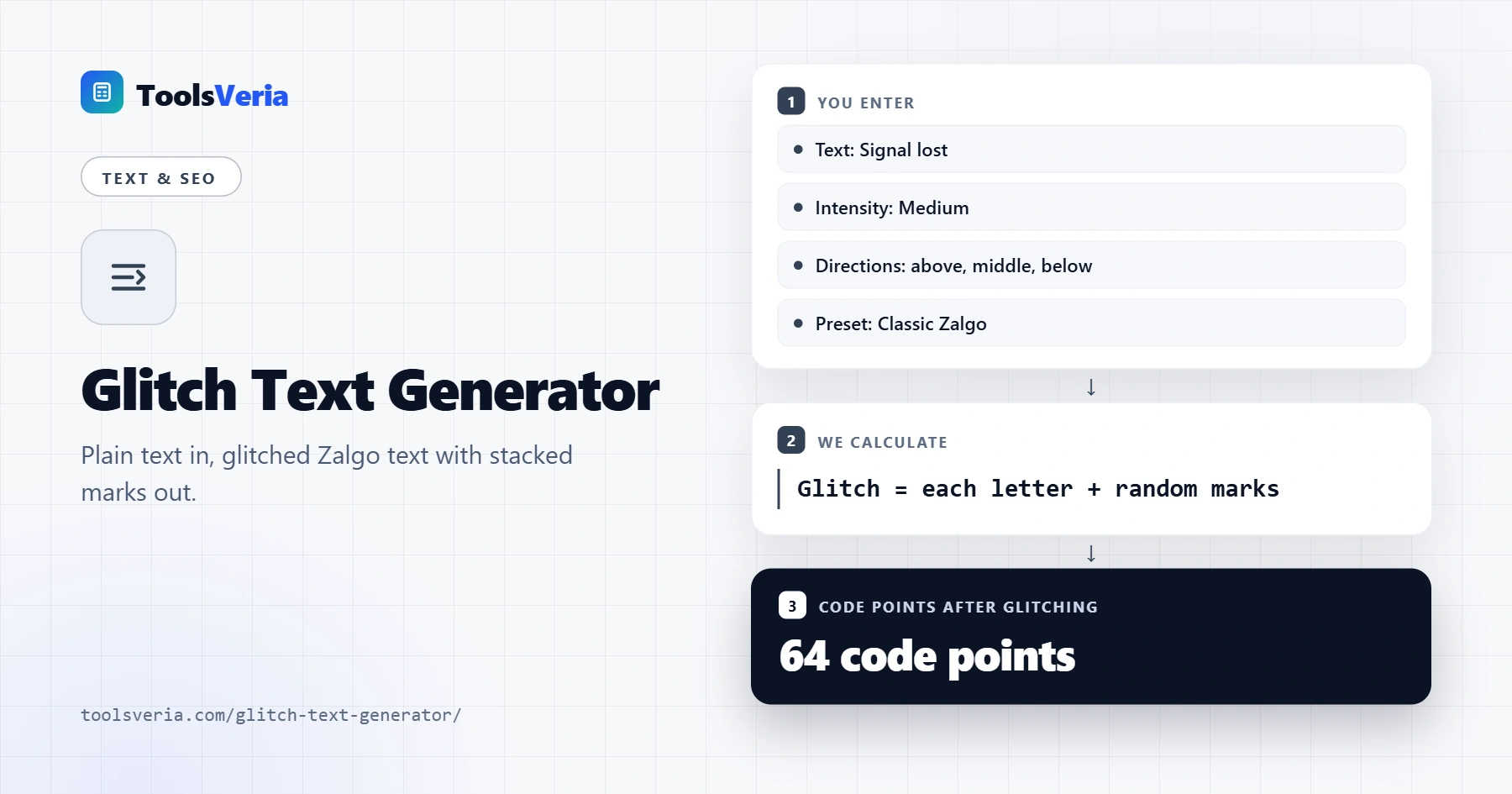
Quick answer: A glitch text generator adds random combining marks above, through and below every letter. At Medium it adds 2 to 9 marks per letter, about 5.5 on average, so "Signal lost" (11 characters) becomes roughly 64 code points. Use Light for names with tight limits and Heavy or Chaos only for short, eye catching words.
In This Guide
What Is a Glitch Text Generator?
A glitch text generator is a tool that makes text look broken or haunted by attaching combining marks, a kind of accent character, to each letter so they pile up into a distorted shape. The letters underneath stay the same, which is why glitched words remain readable at lower intensities and why the effect survives copy and paste.
The method in plain words is: for every letter you choose to glitch, pick a random number of marks for each direction you allow, choose each mark at random from a list for that direction, and write them straight after the letter. Our tool draws from 102 marks: 53 that sit above a letter, 44 that hang below it and 5 that strike through the middle. Spaces are left untouched so word gaps stay clear.
How to Use the Glitch Text Generator
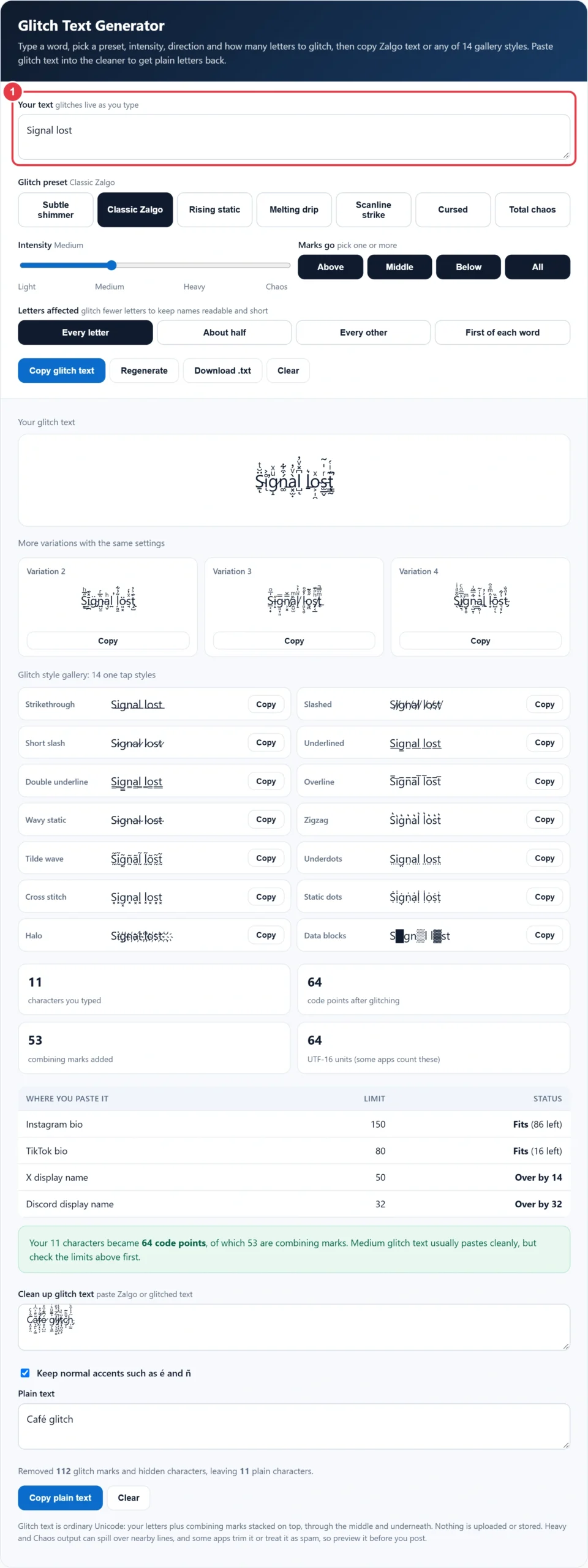
Step 1: Type Your Text
Type or paste up to 300 characters into the box. The main preview, three extra variations and all 14 gallery styles update as you type, so you can test a username, a caption or a single scary word in seconds.
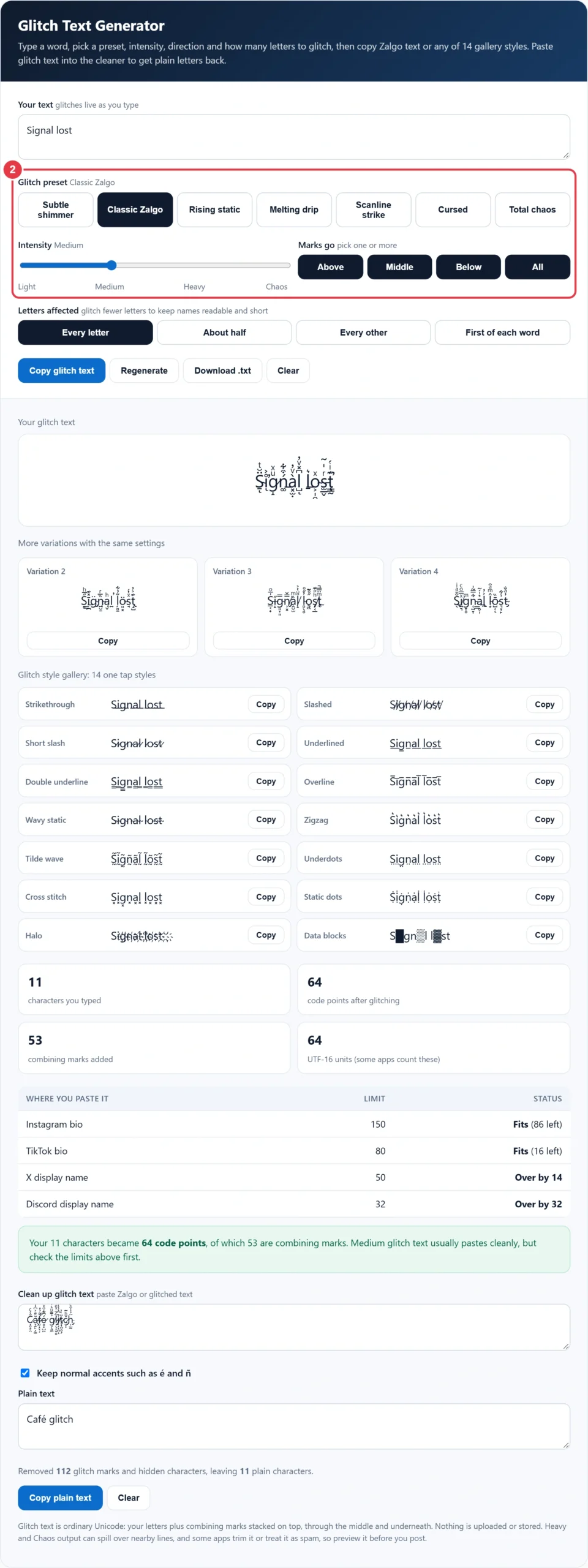
Step 2: Pick a Preset or Set the Intensity
Presets give you a finished look in one tap: Subtle shimmer, Classic Zalgo, Rising static, Melting drip, Scanline strike, Cursed and Total chaos. You can also drag the intensity slider through Light, Medium, Heavy and Chaos. Each step roughly doubles the number of marks, and the label switches to Custom settings when your mix no longer matches a preset.
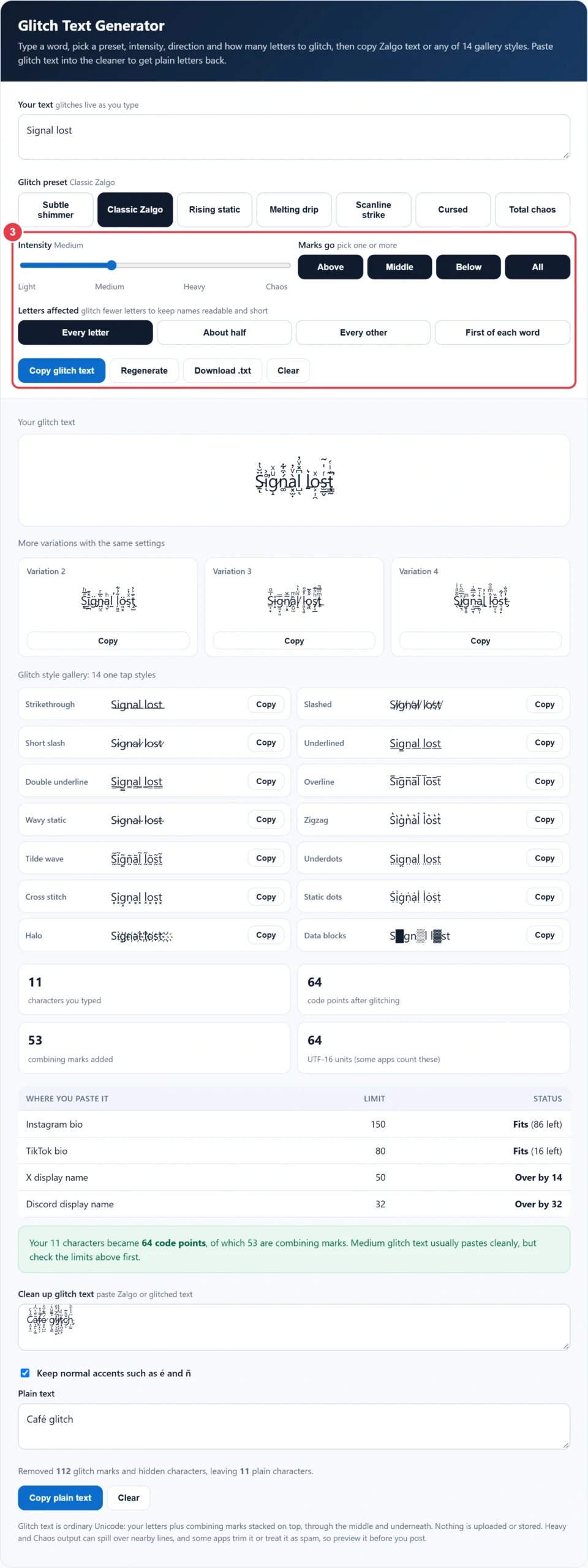
Step 3: Choose Directions, Letters and Regenerate
Turn Above, Middle and Below on or off, or press All. Marks only above give rising static, marks only below look like dripping ink, and middle marks slash through letters like a bad video signal. Letters affected lets you glitch every letter, about half, every other letter or only the first letter of each word. Press Regenerate for a fresh random pattern with the same settings.
Step 4: Copy, Download and Check the Length
Copy the main result, any variation or any gallery style, or save it with Download .txt. The counter shows the characters you typed, the code points the glitch text really contains, the marks added and the UTF-16 length some apps use. The limits table checks the result against Instagram, TikTok, X and Discord, and a warning appears at Heavy and Chaos.
How Does Glitch Text Work?
Glitch text works because Unicode lets any number of combining marks follow a letter, and your device draws every one of them in the same spot. Most marks used here come from the Combining Diacritical Marks block (U+0300 to U+036F), which normally holds accents such as the acute in é and the tilde in ñ. Stacking dozens of them on one letter creates the tall, corrupted look known as Zalgo text.
Because each mark is its own character, glitch text is far longer than it looks. A letter at Chaos intensity can carry up to 35 marks, so one visible letter can count as 36 characters in an app that counts code points.
Worked example: Priya wants "Lag spike" as her Discord display name, which allows 32 characters. Typed plainly it is 9 characters, 8 of them letters. Light adds about 2.5 marks per letter, so the glitched name averages 9 + (8 × 2.5) = 29 code points and usually fits. Medium averages 9 + (8 × 5.5) = 53, so Discord would reject it. Medium with First of each word glitches only L and s, averaging 9 + (2 × 5.5) = 20, which fits with room to spare.
Glitch Text Intensity Levels Compared
The table shows how many marks each level of this glitch text generator adds per letter with all three directions on and every letter affected, plus the typical length of "Signal lost" (11 characters, 10 letters).
| Intensity | Above | Middle | Below | Average marks per letter | "Signal lost" length | Best for |
|---|---|---|---|---|---|---|
| Light | 0 to 2 | 0 to 1 | 0 to 2 | About 2.5 | About 37 | Usernames, display names |
| Medium | 1 to 4 | 0 to 1 | 1 to 4 | 5.5 | About 66 | Bios, captions |
| Heavy | 3 to 8 | 1 to 2 | 3 to 8 | 12.5 | About 136 | One word headlines, memes |
| Chaos | 8 to 16 | 1 to 3 | 8 to 16 | 26 | About 271 | Short horror effects only |
Light never leaves a chosen letter bare: if the random draw gives zero marks, one is added. Turning directions off lowers the averages, so Rising static and Melting drip at Heavy add about 5.5 marks per letter, and About half roughly halves every figure.
Glitch Style Gallery: 14 Styles in One Tap
The gallery in this glitch text generator applies one fixed effect to every letter, so the length is predictable: most styles add exactly one mark per letter, while Static dots and Tilde wave add two. Strikethrough, Slashed, Short slash and Wavy static cut through letters; Underlined, Double underline, Overline, Zigzag, Underdots and Cross stitch sit above or below; Halo surrounds each letter with a ring of dots. Data blocks swaps every third letter for a shaded block, the only style the cleaner cannot reverse.
Is Glitch Text a Font?
No, glitch text is not a font: it is ordinary Unicode text, so it keeps its look wherever you paste it without installing anything. That is the key difference from the glitch effects in video and design apps.
- Unicode glitch text (this tool): real characters you can copy into bios, names, comments and chats. Searchable and editable, but limited by character counts.
- Glitch font or image effect: a typeface or filter that shifts colour channels and slices letters. It only works inside the design you export as an image.
- Video glitch effect: an animated distortion added in an editor. Good for intros and reels, but it cannot be pasted as text.
If you want styled letters rather than stacked marks, the gothic font generator and the italic text generator swap letters for Unicode look-alikes, and you can glitch their output here for a mixed look.
Can You Use Glitch Text on Instagram, TikTok and Discord?
Yes, Instagram, TikTok and Discord all accept glitch text, but heavy glitch text can be trimmed, stripped or flagged as spam, so lighter levels are the safer choice. Combining marks are normal characters, yet stacks that spill over other lines annoy readers and some moderation filters treat them as abuse.
- Instagram bios allow 150 characters, enough for about 20 letters at Medium.
- TikTok bios allow 80 characters, so keep Medium glitch text to one or two short words.
- X display names allow 50 characters, which suits Light glitch text or Medium on the first letter of each word.
- Discord display names allow 32 characters, which suits Light glitch text on a short name.
- Keep your real handle in plain letters somewhere, because in app search matches plain text.
- Avoid Heavy and Chaos in group chats and comments, where tall stacks cover other people's messages.
For a gamer tag, start with a name from the random username generator and glitch only part of it, since many games reject characters they cannot display. Limits checked October 2026.
Why Does Glitch Text Look Different in Other Apps?
Glitch text looks different between apps because each app uses its own font and decides how many stacked marks to draw, how much line height to allow and whether to clip anything that spills out. The characters a glitch text generator produces are identical everywhere, only the drawing changes. Common mistakes to avoid:
- Glitching a whole bio at Chaos, so the text runs into the lines above and below it.
- Pasting glitch text into a username field, which most platforms limit to plain letters, numbers and a few symbols.
- Checking only the visible letters, when the platform counts every mark.
- Testing on one device only: preview on both a phone and a computer before you post.
How Do You Remove Glitch Text?
You remove glitch text by deleting every combining mark and hidden zero width character, leaving only the base letters. Paste it into the Clean up glitch text box and the plain version appears instantly. With Keep normal accents ticked, a letter carrying exactly one accent that forms a standard character, such as é or ñ, keeps it. For fancy letter styles rather than stacked marks, the weird font generator includes a decoder that maps look-alike symbols back to plain letters. Nothing you paste is uploaded or stored.
Is Glitch Text Bad for Accessibility?
Yes, glitch text is hard for many readers, because screen readers may announce each mark or skip the word, and stacked marks reduce contrast for people with low vision or dyslexia. The W3C Web Accessibility Initiative explains why content should work with assistive technology, so use glitch text as decoration and keep links, dates and contact details plain.
If you want a stylish look that stays more readable than anything a glitch text generator produces, the small text generator gives neat tiny letters, and the case converter tidies capitals before you add any effect. Page checked October 2026.
</>Embed this calculator on your website
Add the free Glitch Text Generator to your own site or blog. Copy the code below and paste it into an HTML block. It resizes itself and works on phones.
How we checked this tool: the Tools Veria Editorial Team built this tool by hand, checked it against the official rules or published standards where they apply, and tested it against worked examples. Results are estimates for planning, not personal financial or tax advice. Read our editorial policy and disclaimer, or report an error.
Frequently Asked Questions
What is a glitch text generator?
A glitch text generator turns plain words into distorted Zalgo text by adding random Unicode combining marks above, through and below each letter. The result is real text, not an image, so it copies into bios and chats, but every mark counts as a character and heavy glitch can be stripped.
Is glitch text the same as Zalgo text?
Mostly, yes. Zalgo text is the popular name for text covered in stacked combining marks, named after a horror meme that began on the Something Awful forums in 2004. Glitch text covers Zalgo plus simpler effects such as strikethrough, slashed and boxed letters.
Is glitch text a real font?
No. Glitch text is made of standard Unicode characters, your letters plus combining marks, so nothing needs installing and it keeps its look when pasted. A glitch font, by contrast, is a typeface or image effect that only appears inside a design you export as a picture.
Why does my glitch text get cut off or removed?
Apps cut glitch text because every mark counts as a character. One letter at Chaos intensity can carry up to 35 marks, so a short word can pass a 32 character Discord name limit, and some platforms strip stacked marks or flag them as spam.
Can you use glitch text in a username?
Usually only in display names, not handles. Most platforms limit handles to plain letters, numbers and a few symbols, while display names accept Unicode. Use Light intensity or glitch only the first letter of each word, then check the counter against limits such as Discord's 32 characters.
How do I remove glitch text and get normal letters back?
Paste it into the Clean up glitch text box. The cleaner deletes every combining mark and hidden zero width character, so Zalgo text returns to plain letters, while the optional setting keeps genuine accents such as é and ñ. Shaded blocks from the Data blocks style cannot be reversed.