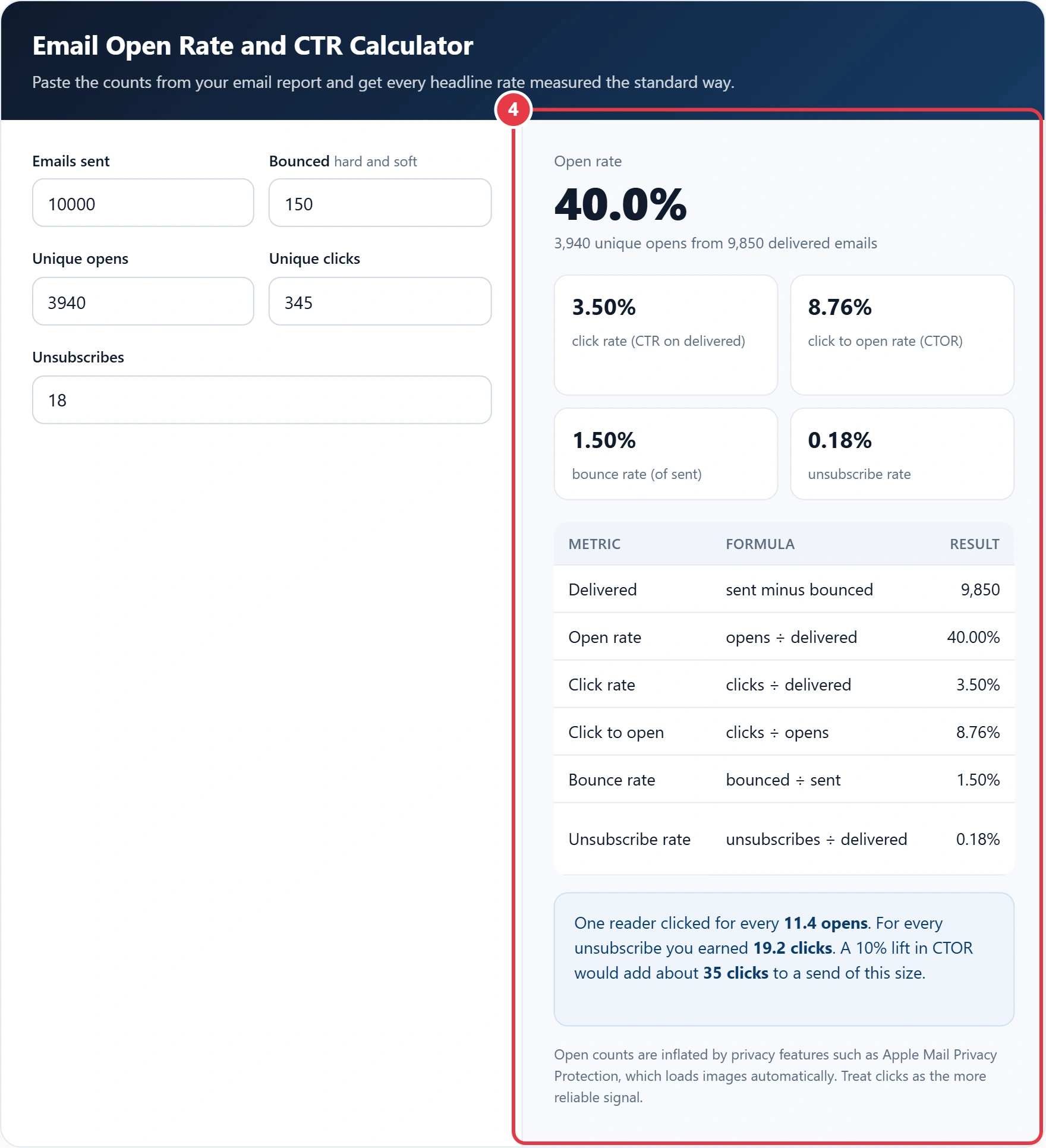
Paste the counts from your email report and get every headline rate measured the standard way.
| Metric | Formula | Result |
|---|
Open counts are inflated by privacy features such as Apple Mail Privacy Protection, which loads images automatically. Treat clicks as the more reliable signal.
This email open rate and CTR calculator turns the raw counts from any newsletter or campaign report into open rate, click rate, click to open rate, bounce rate and unsubscribe rate, so marketers can compare sends across different platforms on one consistent basis. It is especially useful when you move between email tools, because each one labels and rounds these metrics slightly differently and a like for like comparison is otherwise hard to make.
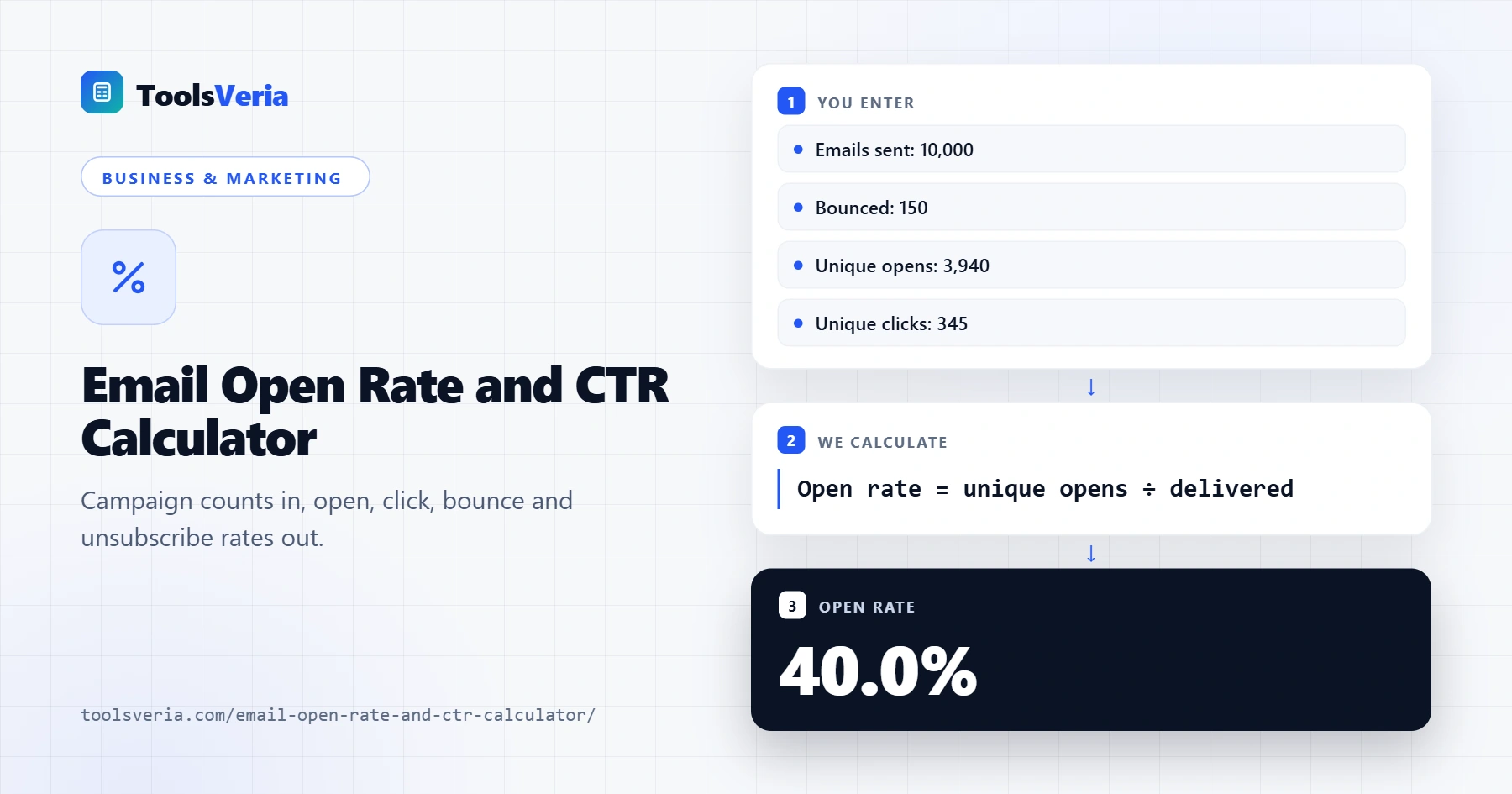
Quick answer: An email open rate and CTR calculator divides unique opens and unique clicks by delivered emails, which means sent minus bounced. Click to open rate is unique clicks ÷ unique opens, bounce rate is bounces ÷ sent and unsubscribe rate is unsubscribes ÷ delivered, so every campaign is compared on one basis.
In This Guide
What Is Email Open Rate and CTR?
Email open rate is the percentage of delivered emails opened at least once, and click through rate (CTR) is the percentage of delivered emails that produced at least one link click. Both use delivered emails, which means sent minus bounced, because a bounced message never reached an inbox.
The formulas are: open rate = unique opens ÷ delivered, click rate = unique clicks ÷ delivered, click to open rate = unique clicks ÷ unique opens, bounce rate = bounces ÷ sent and unsubscribe rate = unsubscribes ÷ delivered. CTOR isolates how persuasive the email body was among people who actually opened it.
How to Use the Email Open Rate and CTR Calculator
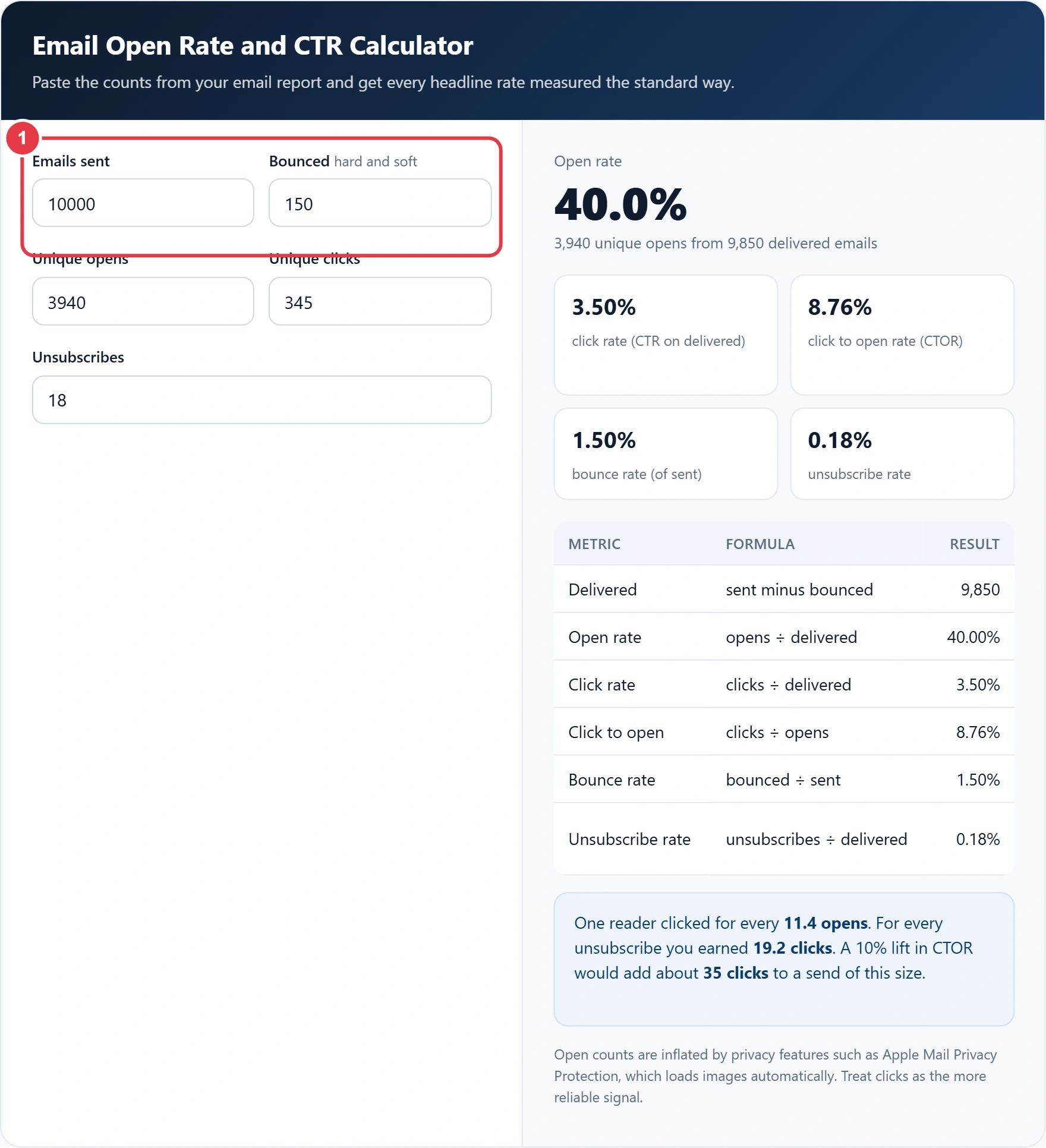
Step 1: Enter Sent and Bounced
Type the number of emails sent and the total bounces, adding hard and soft bounces together. The calculator subtracts bounces to find delivered emails.
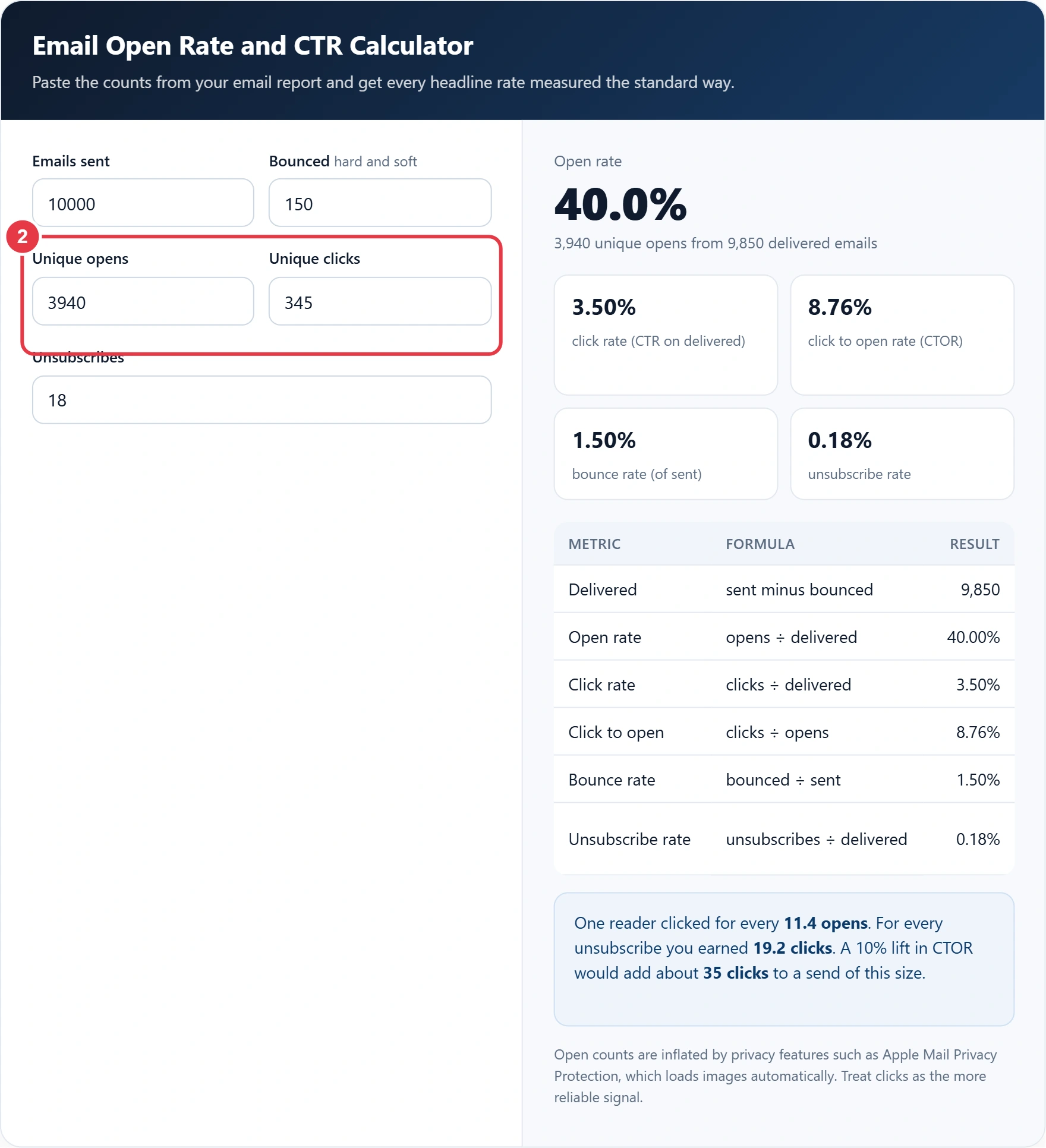
Step 2: Enter Unique Opens and Clicks
Use unique figures, not totals, so one subscriber who clicks five times counts once. The same click maths applies to paid ads, and the CPC and CTR calculator does the equivalent job for search and social campaigns when you want to compare channels.
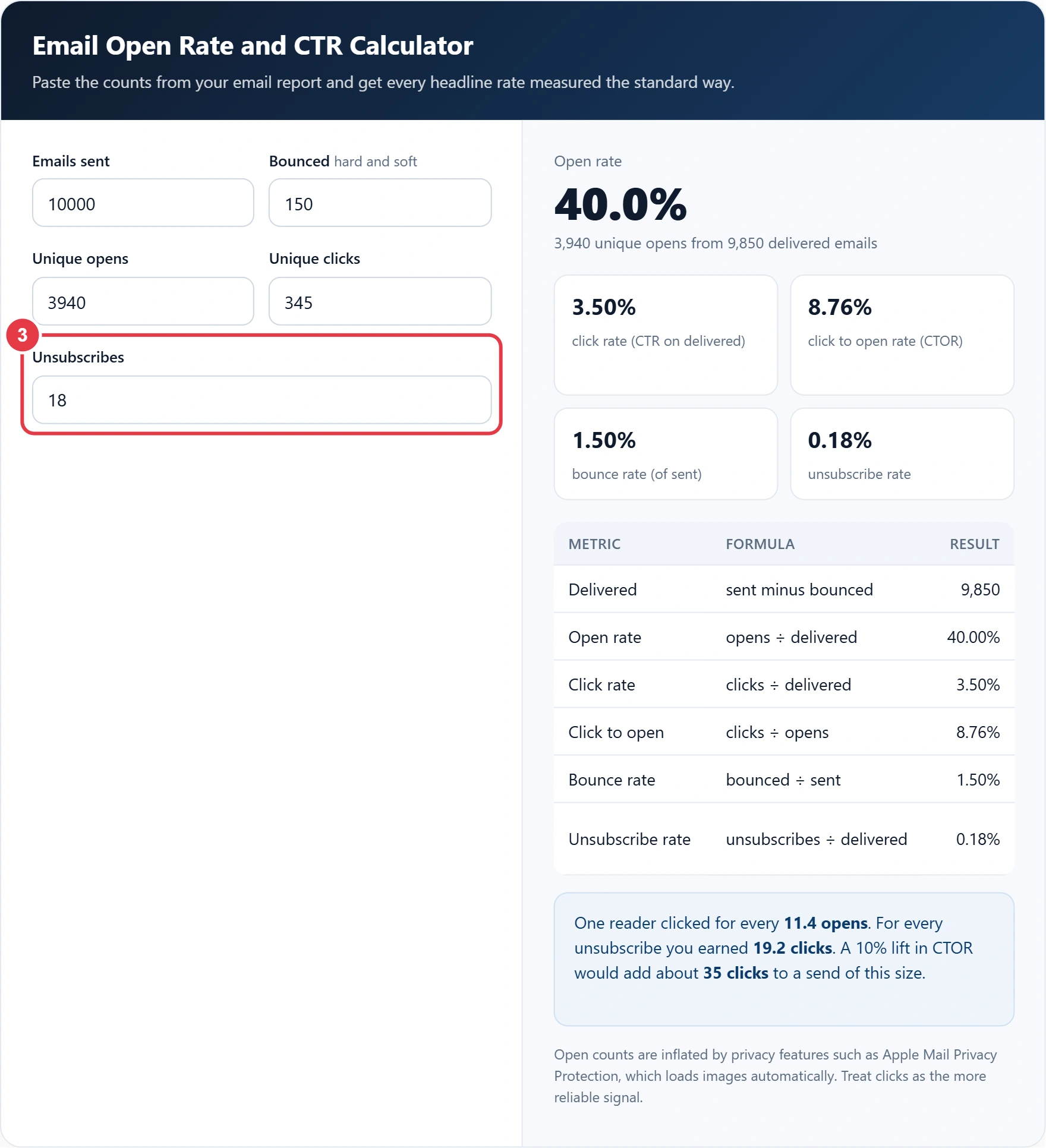
Step 3: Add Unsubscribes
Enter the number of people who opted out from this send. Under the ICO guidance on electronic mail marketing, every UK marketing email must offer a simple way to opt out, and those requests must be acted on promptly.
Step 4: Read Your Rates
The headline figure is open rate, with click rate, CTOR, bounce rate and unsubscribe rate below and a formula table you can paste into a report. The note box shows opens per click and clicks per unsubscribe.
How Do You Calculate Click to Open Rate?
Divide unique clicks by unique opens and multiply by 100: 345 clicks from 3,940 opens is a CTOR of 8.76%. Take Owen, who sends a monthly newsletter for a Manchester garden centre. He sent 10,000 emails, 150 bounced, 3,940 people opened, 345 clicked and 18 unsubscribed.
| Metric for Owen | Working | Result |
|---|---|---|
| Delivered | 10,000 minus 150 | 9,850 |
| Open rate | 3,940 ÷ 9,850 | 40.00% |
| Click rate | 345 ÷ 9,850 | 3.50% |
| Click to open rate | 345 ÷ 3,940 | 8.76% |
| Bounce rate | 150 ÷ 10,000 | 1.50% |
| Unsubscribe rate | 18 ÷ 9,850 | 0.18% |
Owen should judge the subject line by trends, not by the 40% open rate alone. Running the landing page visits through the conversion rate calculator shows what those 345 clicks are worth in sales. Since Apple Mail Privacy Protection began loading images for many readers, opens include machine opens, so his click rate and CTOR are the fairer guides.
Email Open Rate and CTR Terms Explained
These definitions explain the campaign metrics produced by the email open rate and CTR calculator, helping you compare sends fairly across email platforms.
- Delivered emails
- The number of messages accepted by recipients' mail servers, found by subtracting bounces from the total sent. Using this base instead of sent emails keeps rates fair when list quality varies between campaigns.
- Hard bounce
- A permanent delivery failure, usually because the address does not exist or the domain is invalid. Addresses that hard bounce should be removed promptly, since repeated attempts damage the sender's reputation with mailbox providers.
- Soft bounce
- A temporary delivery failure caused by a full inbox, an oversized message or a server that is briefly unavailable. Most platforms retry soft bounces and only suppress the address if the problem keeps recurring.
- Click to open rate
- Unique clicks divided by unique opens, showing how effective the email content was among people who opened it. It separates the strength of the message from the subject line's ability to win opens.
- Tracking pixel
- A tiny invisible image embedded in an email whose download is recorded as an open. Privacy features that preload images trigger it automatically, so open counts can include machine opens rather than real readers.
- Unsubscribe rate
- The share of delivered emails that led a recipient to opt out of further messages. A sudden rise often signals that content, frequency or targeting no longer match what subscribers expected when they signed up.
</>Embed this calculator on your website
Add the free Email Open Rate and CTR Calculator to your own site or blog. Copy the code below and paste it into an HTML block. It resizes itself and works on phones.
How we checked this tool: the Tools Veria Editorial Team built this tool by hand, checked it against the official rules or published standards where they apply, and tested it against worked examples. Results are estimates for planning, not personal financial or tax advice. Read our editorial policy and disclaimer, or report an error.
Frequently Asked Questions
What is the difference between CTR and CTOR in email?
CTR divides unique clicks by delivered emails, while CTOR divides unique clicks by unique opens. With 345 clicks, 9,850 delivered and 3,940 opens, CTR is 3.50% and CTOR is 8.76%.
Is open rate calculated on sent or delivered emails?
Open rate is calculated on delivered emails, which is sent minus bounced. Using sent emails understates the rate, for example 3,940 opens is 39.4% of 10,000 sent but 40.0% of 9,850 delivered.
Why is my email open rate suddenly so high?
Privacy features such as Apple Mail Privacy Protection preload images, which most platforms record as an open. That inflates open rates, so compare clicks and CTOR when you test subject lines or content.
How is bounce rate calculated for email?
Bounce rate is total bounces divided by emails sent, multiplied by 100. With 150 bounces from 10,000 sends the bounce rate is 1.50%, and hard bounces should be removed from the list straight away.
Should I use unique or total clicks?
Use unique clicks for click rate and CTOR, so each subscriber counts once however many links they press. Total clicks are better for judging which individual links inside the email performed best.
How do I calculate unsubscribe rate?
Divide unsubscribes by delivered emails and multiply by 100. Eighteen unsubscribes from 9,850 delivered emails gives an unsubscribe rate of 0.18%, about one opt out per 547 inboxes reached.