Add campaign tags to any URL, check the naming and see which GA4 channel the clicks should land in.
| Parameter | Value sent |
|---|
Channel prediction follows Google's published GA4 default channel group rules with a short list of common search and social sources. Your link is built in your browser and never stored.
This UTM link builder adds campaign tracking tags to any web address so marketers, small business owners and agencies can see in GA4 exactly which email, ad or post sent each visitor. It follows the parameter list in Google's guide to collecting campaign data with custom URLs, predicts the GA4 channel your clicks will be reported under, and warns you about naming mistakes before the link goes out.
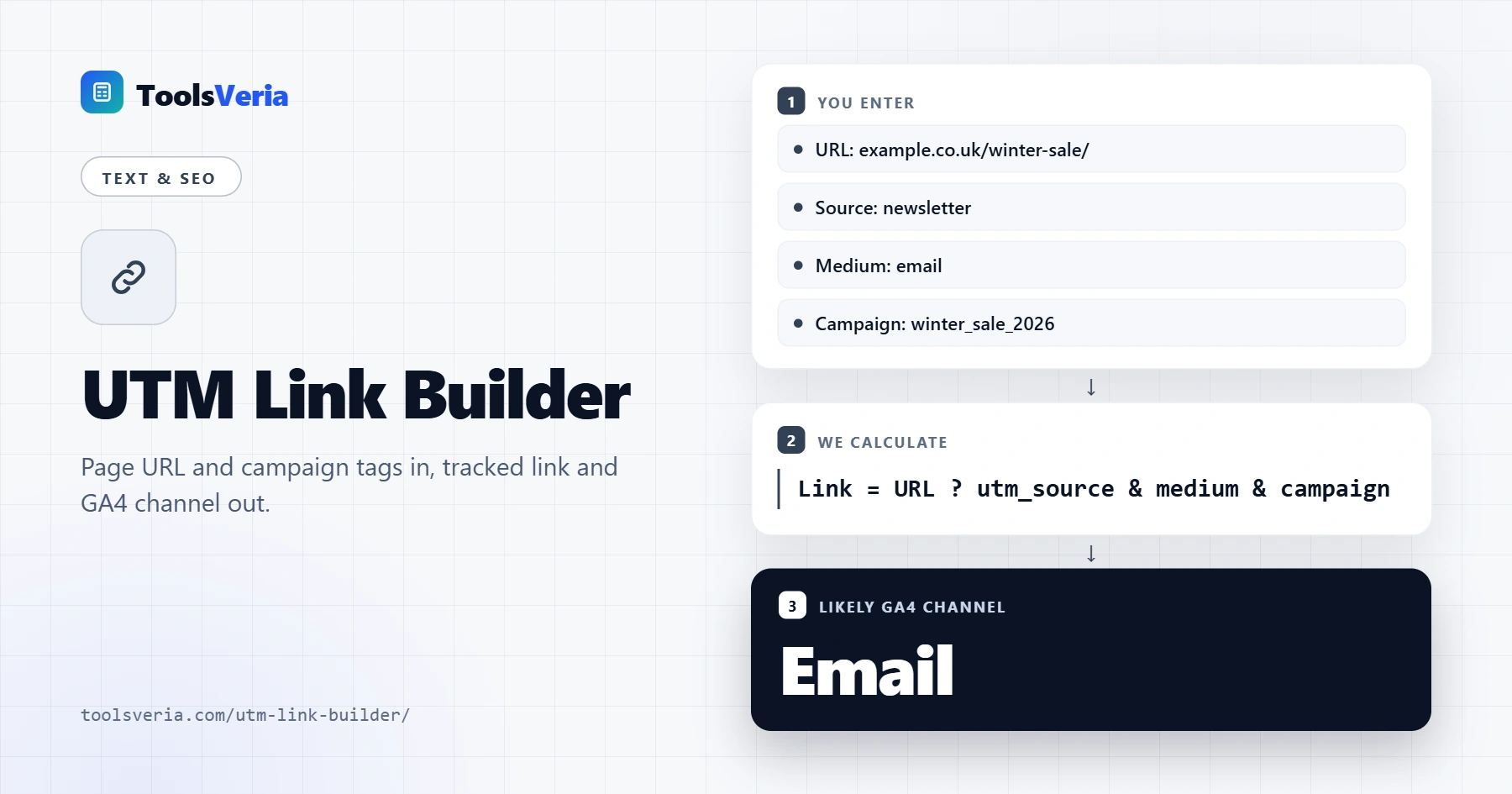
Quick answer: a UTM link is your page URL followed by a question mark and at least three tags: utm_source (who sent the visit), utm_medium (the type of channel) and utm_campaign (why). Type them into the UTM link builder in lowercase with underscores, for example ?utm_source=newsletter&utm_medium=email&utm_campaign=winter_sale_2026.
In This Guide
What Is a UTM Link Builder?
A UTM link builder is a tool that joins a landing page URL and a set of named tracking values into one clean, correctly encoded link that analytics software can read. UTM stands for Urchin Tracking Module, after the Urchin software that Google bought and turned into Google Analytics.
The formula in plain words is: tracked link equals the page address, then a question mark, then each tag written as name equals value, with an ampersand between tags. If the page already has a query string, the tags join it with an ampersand instead of a second question mark, and any #anchor moves to the very end. Values are case sensitive and spaces must be encoded, which is why a builder is safer than typing links by hand.
How to Use the UTM Link Builder
Step 1: Paste the Landing Page URL
Copy the full address of the page people should land on, including https://. Existing query strings are kept, old utm tags are replaced rather than duplicated, and an anchor such as #sizes is moved after the tags so the page still scrolls to the right place.

Step 2: Set Source, Medium and Campaign
Choose a preset such as Newsletter or Facebook ad to fill source and medium, or type your own. Then name the campaign. A pattern of topic, offer and year, such as winter_sale_2026, keeps months of reports easy to filter.

Step 3: Add Content, Term and Options
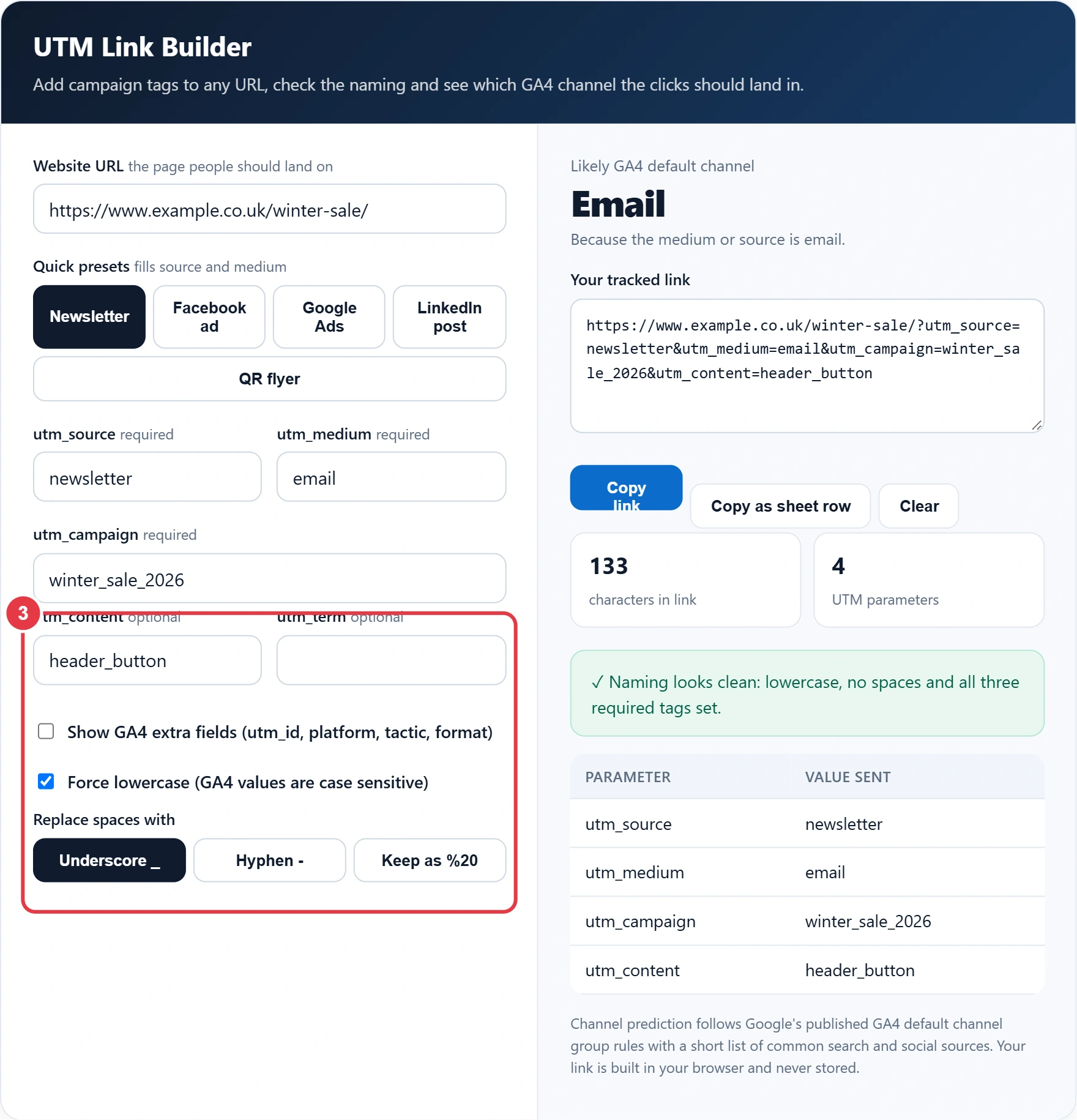
Use utm_content to tell apart two links in the same email or two ad creatives, and utm_term for a paid keyword. Tick the GA4 extra fields only if your team uses them. Keep Force lowercase switched on and replace spaces with underscores unless your naming guide says otherwise.
Step 4: Copy the Link and Check the Channel
The tracked link, its length and a table of every value sent update as you type. The large label shows the GA4 default channel the visit should be grouped into and why. Copy as sheet row gives a tab separated line with the date and every tag, ready to paste into your campaign tracking spreadsheet.

Which UTM Parameters Are Required?
Three UTM parameters are required in practice: utm_source, utm_medium and utm_campaign. Google Analytics will record a visit with only utm_source, but leaving out medium or campaign produces (not set) rows and can push the traffic into the Unassigned channel. The other tags are optional and only worth adding when you will actually filter by them.
| Parameter | Answers | Example value | Needed? |
|---|---|---|---|
| utm_source | Who sent the visit | newsletter, facebook, google | Yes |
| utm_medium | What type of channel | email, social, cpc, referral | Yes |
| utm_campaign | Which promotion | winter_sale_2026 | Yes |
| utm_content | Which link or creative | header_button, video_ad_b | Optional |
| utm_term | Which paid keyword | oak_dining_table | Optional |
| utm_id | Campaign ID for data import | wsale26 | Optional |
| utm_source_platform | Platform that bought the traffic | search_ads_360 | Optional |
Google also lists utm_marketing_tactic and utm_creative_format, but its own help page notes they are not currently shown in GA4 reports, so most small teams can skip them.
Which utm_medium Should I Use So GA4 Gets the Channel Right?
Use one of the values GA4 already recognises: email for newsletters, social for unpaid posts, cpc or paid_social for ads, referral for partner links and affiliate for affiliate links. GA4 sorts every session into a default channel using fixed rules on source and medium, and any medium it does not recognise, such as newsletter or qr, ends up in Unassigned.
Here is a worked example. Hannah runs a garden centre in Harrogate and sends an October email to 4,200 subscribers with two links: a header button and a product image. Her old links used utm_medium=Newsletter, so 380 visits sat under Unassigned in GA4 and she could not compare email with Facebook. In the builder she sets source newsletter, medium email, campaign bulb_offer_2026, and content header_button for one link and product_image for the other. Both links now show Email as the likely channel, and a month later GA4 shows the header button drove 260 of the 380 clicks, so she moves the main offer higher in the next email.
Once the clicks are recorded against the right channel, Hannah can drop them into the email open rate and CTR calculator to get a click through rate she can compare between sends, and the same tagged links feed straight into her conversion reports.
Do UTM Parameters Affect SEO?
No, UTM parameters do not hurt rankings when they are used on links that point to your site from emails, ads and social posts. Problems start only when you add them to internal links on your own pages: every click then starts a new session with the wrong source, and search engines may crawl duplicate tagged URLs. Keep a canonical tag on each page pointing to the clean address so any tagged copies that get crawled are folded into the original.
UTM Naming Rules That Keep Reports Clean
- Lowercase everything. GA4 treats Facebook, facebook and FACEBOOK as three separate sources.
- Pick one separator, underscore or hyphen, and never mix them with spaces.
- Name the platform in source and the channel type in medium. Facebook is a source; paid_social is a medium.
- Put the year or month in the campaign name so recurring promotions do not merge.
- Leave Google Ads links to auto-tagging, which adds a gclid and imports richer cost data.
- Log every link in a shared sheet so the whole team reuses the same values.
These rules match the advice in the UTM parameters entry on Wikipedia and in Google's own help pages, and they make paid campaigns easier to judge later. When an ad link is tagged consistently, the ROAS calculator can compare the revenue each source brings in against what you spent on it.
Why Does My UTM Traffic Show as Unassigned or Direct?
Traffic shows as Unassigned when the utm_medium value does not match any GA4 channel rule, and as Direct when the tags were lost before the page loaded. Common causes of lost tags are a redirect that drops the query string, a link shortener set to strip parameters, and apps that open links without passing them on.
To test a link, open it in a private browser window, check the address bar still shows every tag after any redirect, then watch the Realtime report in GA4 for your session. The channel rules used here follow Google's published GA4 default channel group definitions. Figures and rules checked October 2026.
Key UTM Link Builder Terms Explained
These definitions explain the tags and URL rules behind the UTM link builder, helping you create clean campaign links that GA4 attributes to the right channel.
- utm_source
- The tag naming the specific sender or website that delivered the click, such as a newsletter, a social network or a search engine. Together with medium, it decides how a visit is grouped in analytics reports.
- utm_medium
- The tag describing the type of marketing channel, such as email, cpc or social. GA4 compares this value with its channel rules, so a misspelt or unusual medium can leave visits unassigned.
- utm_campaign
- The tag naming the promotion, launch or offer a link belongs to. A consistent naming pattern lets you filter months of reports and compare campaigns across every source and medium.
- Query string
- The part of a URL after the question mark, made of name and value pairs joined by ampersands. Tracking tags live here, and a second question mark in the same address would break how they are read.
- Percent-encoding
- A way of writing characters that are unsafe in URLs as a percent sign followed by two hexadecimal digits, such as %20 for a space. Builders encode values automatically so links work in every browser and email client.
- Default channel group
- The set of rules GA4 uses to sort sessions into channels such as Email, Paid Search or Organic Social based on source and medium. Matching these rules is what lets tagged visits appear under the intended channel.
</>Embed this calculator on your website
Add the free UTM Link Builder to your own site or blog. Copy the code below and paste it into an HTML block. It resizes itself and works on phones.
How we checked this tool: the Tools Veria Editorial Team built this tool by hand, checked it against the official rules or published standards where they apply, and tested it against worked examples. Results are estimates for planning, not personal financial or tax advice. Read our editorial policy and disclaimer, or report an error.
Frequently Asked Questions
What is a UTM link?
A UTM link is a normal web address with tracking tags added after a question mark, such as utm_source=newsletter. Analytics tools like GA4 read those tags to report which email, ad or post sent each visitor to your site.
Are UTM parameters case sensitive?
Yes. GA4 treats utm_source=Facebook and utm_source=facebook as two separate sources, which splits your reports. Use lowercase for every value and keep one separator, such as underscores, across all campaigns.
Should I use UTM tags on Google Ads links?
Usually not. Google Ads auto-tagging adds a gclid to each click and passes cost and keyword data into GA4 automatically. Manual UTMs are mainly for email, social posts, affiliates, print and ads on other platforms.
Can I use UTM parameters on internal links?
No. A UTM tag on an internal link starts a new session and overwrites the visitor's real source, so organic or email visits get credited to your own website. Use event tracking for internal clicks instead.
How long does a UTM link keep tracking?
A UTM link works for as long as the tags stay in the URL; it never expires. GA4 credits the session to those tags when the visitor arrives, and reports usually show the data within 24 to 48 hours.
Why is my utm_medium showing as Unassigned in GA4?
GA4 uses fixed rules to sort traffic into channels, and a medium it does not recognise, such as newsletter or qr, falls into Unassigned. Change the medium to a standard value like email, social, cpc, referral or affiliate.